
Digital Notebooks For Paperless Planning
Digital notebooks are transforming planning and organization by offering a clutter-free, efficient alternative to traditional paper. These tools provide dynamic spaces for capturing, sorting, and editing content, integrating with other digital services while promoting eco-friendliness. The transition to digital notebooks minimizes physical clutter and enhances document retrieval via features like categorization, tagging, and device synchronization, while also ensuring data security. To choose the best digital notebook, prioritize synchronization, file compatibility, integration with other tools, customization, robust search capabilities, and offline access. Popular options include Evernote for powerful organization, OneNote for a familiar interface, Notion for customization, and GoodNotes for handwriting enthusiasts. Effective paperless planning involves clear objectives, organization, consistent updates, cloud backups, and collaboration features, promoting both productivity and innovative solutions.
Home Office Design For Maximum Security
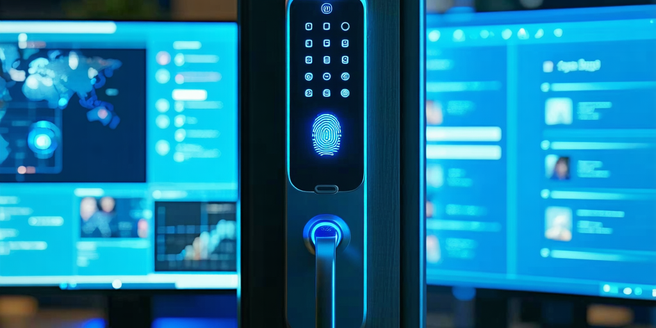
Ensure your office and home workspace are secure by prioritizing office security, selecting the right location, implementing strong passwords, and enhancing physical and digital security measures. Protect your organization from data breaches, financial losses, and reputational damage by incorporating robust access controls, surveillance, and secure data storage solutions. A secure environment minimizes unauthorized access and ensures business continuity. Choose a private, secure home office location to enhance productivity and confidentiality. Strong passwords and two-factor authentication reduce the risk of unauthorized digital access. Physical measures like locks, alarm systems, and secure storage safeguard valuable equipment. Protect digital data with antivirus software, backups, encryption, and education on cyber threats. Implement these strategies to maintain a secure and productive workspace.

Exploring Wireless Mouse Options
Discover everything you need to know about wireless mice, their features, and benefits. Wireless mice eliminate cables through RF or Bluetooth technology, offering mobility and reducing clutter. Look for key features such as adjustable DPI settings, ergonomic design, and battery life options like rechargeable or replaceable batteries. Brands like Logitech, Razer, and Microsoft offer a range of models to suit different needs, from everyday use to gaming. Weigh the pros and cons, including the convenience of wireless operation versus potential battery-related downtime and latency issues. Find the right wireless mouse by considering factors like primary use, comfort, battery preferences, and compatibility with your operating system. Read customer reviews and compare models to make an informed choice.

Security Risks With Smart Assistants
Smart assistants have become central to modern life, offering convenience and enhanced user experiences through AI and natural language processing. These devices manage tasks, control smart home systems, and provide real-time information. Despite their growing popularity, security threats such as eavesdropping, phishing, and malware pose significant risks. Hackers can exploit weak passwords, outdated software, and unsecured networks, highlighting the need for user education and strong security practices. To protect privacy, users should customize settings, use strong passwords, update software, and be cautious with personal data. Future security trends for smart assistants focus on built-in privacy features, biometric authentication, robust encryption, and consumer education to mitigate risks.

Sustainable Tech Designs
Sustainable technology principles play a crucial role in designing environmentally friendly products that meet human needs while promoting conservation. Key aspects include reducing resource usage, minimizing ecological impact, and fostering biodiversity. The use of innovative materials like bamboo, recycled plastics, and organic cotton supports eco-friendly designs, alongside advancements in biotechnology for sustainable options such as mycelium-based products. Energy-efficient technological devices are vital for reducing consumption and emissions, featuring innovations like smart tech and advanced battery systems. Successful projects like the Eden Project and Tesla's gigafactories demonstrate the economic and environmental benefits of sustainable tech. Looking ahead, the future of green technology is focused on renewable energy, clean transportation, and smart urban planning, driving significant advancements in sustainability.

Team-building Apps For Remote Companies
Team-building apps are essential for enhancing connection and collaboration among remote teams. They combat feelings of isolation by offering interactive activities that encourage communication and teamwork, thereby improving morale and productivity. Key features to look for in these apps include customizable activities, seamless integration with communication tools, data tracking, and user-friendly interfaces. These apps foster trust and camaraderie, enhance communication skills, and improve overall team cohesion. Successful case studies demonstrate their ability to strengthen bonds and drive creative problem-solving. Businesses can access cost-effective solutions through tiered pricing models and freemium versions, allowing improved team dynamics without high costs. Future trends in team-building technology include virtual reality and artificial intelligence, enabling personalized and immersive collaborative experiences.

Remote Team Building Software
Remote team building is vital in today's digital age, enhancing collaboration, trust, and communication among geographically dispersed team members. This helps maintain productivity, innovation, and a strong company culture. When choosing remote team building software, prioritize user-friendliness, diverse activities, and integration with tools like Slack or Zoom. Effective implementation begins with understanding team needs, integrating tools seamlessly, scheduling regular activities, and maintaining an open environment for feedback. Companies like GitHub and Automattic exemplify success by fostering remote cultures and leveraging the right tools. The future of remote collaboration will be shaped by emerging technologies like virtual reality, focusing on personalized interactions and sustainability, offering endless possibilities for growth and success.

Impacts Of Foldable Phones
Foldable phones have transformed mobile technology by combining larger screens with compact designs, bridging the gap between smartphones and tablets. With brands like Samsung and Huawei advancing their design and functionality, these devices offer unique multitasking capabilities. Initially met with high costs and durability concerns, foldable phones are gaining popularity as technology becomes more affordable. Utilizing flexible OLED displays, advanced hinge mechanisms, and adaptable touchscreens, these phones showcase significant technological innovations. Consumer reactions range from intrigue to skepticism, with early adopters appreciating their versatility. Compared to traditional smartphones, foldable phones offer enhanced media consumption and multitasking features but face challenges in durability and cost. Environmental concerns are also rising due to their complex manufacturing process. Future trends indicate improved durability, functionality, and AI integration, potentially merging the functionalities of smartphones, tablets, and laptops into more versatile devices.

Ergonomic Furniture For Comfort
Ergonomics is the science of designing workspaces to enhance comfort and efficiency while reducing the risk of injuries. Key elements include ergonomic chairs with lumbar support, adjustable desks, and accessories like wrist rests and monitor stands. These tools promote natural postures and reduce physical strain. Proper ergonomic solutions lead to better posture, improved productivity, and long-term health benefits. Home offices, in particular, can benefit from ergonomic furniture and technology that adapts to users' needs, contributing to a comfortable and efficient work environment. Investing in ergonomics boosts workplace satisfaction and employee retention.

Hi-fi Systems: Superior Audio Experience
Hi-fi, or high-fidelity, systems are designed to deliver top-notch audio reproduction, replicating original recordings with minimal distortion. These systems typically consist of components such as audio sources (CD players, turntables), amplifiers, and speakers. Over time, hi-fi systems have evolved from bulky, analog models to sleek, digital ones, enhancing both sound quality and convenience. Modern hi-fi features include high-resolution audio, wireless connectivity, and modularity for customization. Choosing the right system involves considering audio sources, room acoustics, connectivity needs, and budget. Proper setup, including speaker positioning and room acoustics adjustment, is crucial for optimal sound. By understanding these elements, users can enjoy an immersive and high-quality listening experience.
Digital Twin Technology
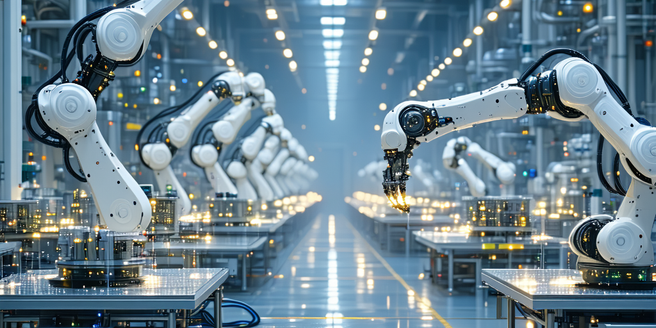
Digital Twin Technology, originating from NASA, creates virtual replicas of physical entities to simulate, predict, and optimize real-world counterparts. Central to this technology are sensors gathering data to update and refine digital models, offering insights for operational efficiency across industries. Key components include IoT sensors, advanced data analytics, and machine learning algorithms supported by robust cloud infrastructure. Applications span manufacturing, healthcare, urban planning, automotive, and energy sectors, enhancing productivity and innovation while reducing costs. Despite benefits like predictive maintenance and improved decision-making, challenges persist, such as high implementation costs and data security concerns. Future advancements in AI, machine learning, and IoT connectivity will further integrate and personalize digital twins, making them accessible to various enterprises and driving their adoption across sectors.

Interactive Learning Tools For Lifelong Learning
The digital age has vastly transformed education, with learning tools evolving from basic computer programs to advanced online platforms that cater to individual learning styles. Today's interactive tools engage users through multimedia content and personalized lessons, and adaptive learning systems tailor educational content to each user. This evolution blurs the line between traditional and digital learning and supports lifelong learning. Interactive learning benefits individuals of all ages by boosting engagement and retention, offering flexibility, and fostering a culture of continuous skill enhancement. Notable platforms like Coursera, edX, and Duolingo enhance skill-building across various disciplines, while technologies such as gamification revolutionize continuous education by making learning interactive and fun. Personalized learning is made possible through technology, which adapts content based on each learner's needs to ensure efficient learning outcomes.