Best Wireless Keyboards For Productivity
Factors to Consider When Choosing a Wireless Keyboard
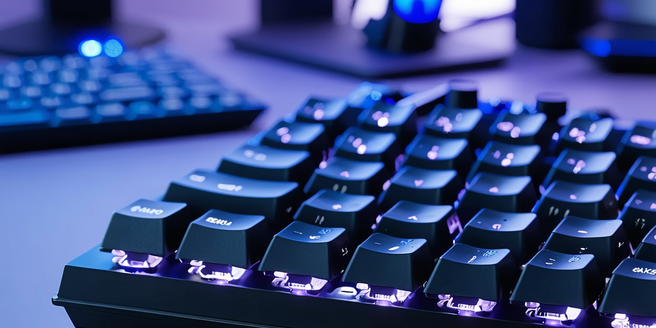
Choosing the right wireless keyboard depends on several critical factors. First, consider the key switch types such as mechanical or membrane, which impact tactile feedback and typing experience. Look for features like customizable keys if you often switch between tasks or need shortcuts. Connectivity options including Bluetooth and wireless USB are important; ensure the keyboard is compatible with your devices. Battery life is crucial for uninterrupted use, so check if the keyboard comes with rechargeable batteries or energy-saving features. Additionally, the design should meet your ergonomic needs, featuring wrist rests or adjustable angles to reduce strain. Lastly, the build quality and durability should ensure it withstands everyday use. Keep these factors in mind to find a keyboard that enhances your productivity.
Top-Rated Wireless Keyboards for Office Productivity
In the realm of productivity, some wireless keyboards stand out for their efficiency and reliability. The Logitech MX Keys is highly praised for its smart illumination and PerfectStroke keys, offering a superior typing experience. Apple’s Magic Keyboard delivers seamless integration with macOS devices, appreciated for its sleek design and low profile keys. The Microsoft Surface Keyboard offers quiet typing and solid Bluetooth connectivity for Windows users. For those seeking versatility, the Kinesis Freestyle2 provides unmatched adjustability and ergonomic design. The Corsair K83 Wireless, with its multi-device connectivity and media controls, is perfect for tech-savvy offices. These top-rated keyboards balance functionality, comfort, and style, making them ideal choices for boosting office productivity, regardless of your workspace setup.
Ergonomic Features to Enhance Typing Comfort
Ergonomic design is crucial in wireless keyboards to reduce the risk of repetitive strain injuries and enhance typing comfort. Look for keyboards with adjustable tilt angles or detachable wrist rests that promote a neutral wrist position, reducing strain during long typing sessions. Split keyboards like the Ergodox EZ allow natural hand positioning, minimizing stress on wrists and hands. The use of sculpted or curved key layouts further enhances comfort by following the natural curvature of your hands. Additionally, compact designs reduce strain by keeping the mouse within easy reach. Keys with gentle concave surfaces can also aid in reducing finger fatigue. Prioritizing ergonomic features ensures a comfortable typing experience, ultimately enhancing productivity and wellness in the workplace.
Comparing Battery Life Among Wireless Keyboards
Battery life is a significant consideration when choosing a wireless keyboard. Manufacturers like Logitech and Microsoft have optimized battery efficiency, with some models offering up to two years of use on a single set of batteries. The use of energy-efficient technologies, such as automatic sleep modes or solar charging, extends the keyboard’s operational time without frequent replacements or recharging. Rechargeable options, including the Logitech K750, harness ambient light for continuous power. While Bluetooth keyboards generally consume more battery compared to USB wireless, advancements in energy management have mitigated this imbalance. Evaluating keyboard specifications and user reviews helps in understanding battery performance, ensuring that your productivity is uninterrupted by frequent recharges or battery changes.
Wireless Keyboards with Advanced Connectivity Options
Advanced connectivity options in wireless keyboards are pivotal for seamless device interaction. Models featuring multi-device pairing, like the Logitech K780, allow users to switch between devices with the push of a button, maximizing versatility across computers, tablets, and smartphones. Dual connectivity offers flexibility; for instance, keyboards supporting both Bluetooth and RF connections ensure compatibility across various device types. Some keyboards boast a USB-C connection for easy and fast charging, promoting convenience. Enhanced encryption technology in wireless keyboards protects data transmitted over the connection, a crucial feature for maintaining security in professional settings. Exploring these connectivity options is essential for a versatile workstation that adapts to evolving technological demands.
Budget-Friendly Wireless Keyboards for Professionals
Finding a budget-friendly wireless keyboard doesn’t mean compromising on quality. Options such as the Logitech K380 offer excellent typing experience and reliable connectivity at an affordable price. The Anker Ultra Slim model is another cost-effective choice, featuring comfortable, quiet keys and good battery life. Keyboards like the Arteck HB030B provide backlighting and sleek design, appealing to aesthetics on a budget. Consider the AmazonBasics model for straightforward functionality without unnecessary frills. These keyboards balance cost and convenience, proving that professionals can obtain reliable wireless options without breaking the bank. Understanding your primary needs and researching available models ensures you optimize your office setup without financial strain.