Cloud Document Editors Features
Real-Time Collaboration
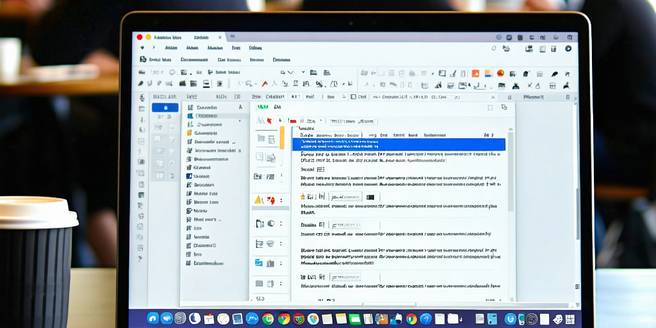
Real-time collaboration in cloud document editors allows multiple users to simultaneously edit documents from different locations. This feature not only enhances productivity but also streamlines the workflow by minimizing the need for back-and-forth exchanges of document versions. Users can see changes as they happen, making it easier to agree on content modifications and boosts overall team efficiency. Communication tools, such as comments and chat functions, often supplement this feature, providing a seamless collaborative environment. This connectivity fosters a sense of teamwork and helps in rapidly iterating ideas. With real-time collaboration, document editing becomes a more dynamic, engaging, and efficient process that adapts to the fast-paced needs of modern work environments, promoting both innovation and cohesion among team members.
Version Control and History
Version control and history in cloud document editors offer invaluable tools for tracking changes and managing document revisions. This feature logs every amendment made to a document, enabling users to return to previous versions if needed. It is particularly beneficial for projects with multiple contributors, as it ensures accountability and transparency. Users can comment on or restore past iterations, providing a safeguard against accidental data loss or unwanted changes. By maintaining a detailed history, teams can easily review the document’s evolution and make informed decisions based on past edits. This powerful tool also promotes a greater understanding of content development processes and allows for a higher degree of accuracy and reliability in document handling, making collaborative efforts more effective.
Cross-Platform Accessibility
Cloud document editors excel in providing cross-platform accessibility, ensuring that users can access and edit documents from any device and operating system. This flexibility eliminates compatibility issues, allowing seamless transitions between different working environments. Whether on a desktop, tablet, or smartphone, users can expect consistent performance and interface across platforms. This capability empowers on-the-go professionals and remote teams, facilitating uninhibited productivity regardless of location. Cross-platform accessibility also supports various file formats, enhancing the user experience by providing more options for content creation and sharing. By offering uniform functionality across devices, cloud editors enable a more versatile approach to work, encouraging greater freedom and adaptability for both individuals and teams.
Advanced Formatting Tools
Advanced formatting tools in cloud document editors are essential for creating professional-looking documents. These tools offer a wide range of features, including elegant text styles, custom layouts, and multimedia embedding options. They empower users to implement complex design elements without needing extensive technical skills. The intuitive user interface typically guides users through the creation process, enhancing their ability to produce polished documents efficiently. Whether for business reports or creative projects, advanced formatting tools ensure consistency in style and layout, contributing to clearer communication and improved readability. Furthermore, these options provide room for creativity, enabling users to experiment with different design approaches to better convey their messages. The accessibility of these tools makes high-quality document creation a possibility for all users.
Seamless Integration with Other Apps
Seamless integration with other apps is a defining feature of many cloud document editors, facilitating a more cohesive digital workspace. By connecting with third-party applications, these editors expand their functionalities, supporting tasks like file sharing, project management, and data analysis. This integration empowers users to streamline their workflows by aggregating necessary tools within a single interface. It also alleviates the need for constant switching between multiple applications, thus enhancing productivity and focus. The ability to synchronize with other software ensures that data remains consistent and up-to-date across platforms, reducing the risk of errors. Through seamless integration, cloud editors enhance operational efficiency and provide a more interconnected experience that aligns with modern digital work trends.
Enhanced Security Measures
Enhanced security measures in cloud document editors ensure that sensitive data is protected against unauthorized access and breaches. These platforms utilize advanced encryption standards to safeguard documents, both in transit and at rest. Two-factor authentication and customizable access permissions add additional layers of security, ensuring only authorized users can edit or view documents. Regular security audits and updates are typically conducted to address potential vulnerabilities proactively. For businesses handling confidential information, these security features are crucial in maintaining trust and compliance with data protection regulations. Enhanced security measures also provide peace of mind to users, knowing their documents are protected by robust security protocols. As digital threats evolve, these editors are continuously adapting to offer secure environments for their users.