Wi-fi Signal Boosters For Connectivity
Understanding How Wi-Fi Signal Boosters Work
Wi-Fi signal boosters, also known as repeaters, extenders, or amplifiers, work by receiving the wireless signal from your router and retransmitting it to areas in your home or office that experience weak signals, thereby extending the coverage. The boosters amplify the existing signal and rebroadcast it on a different channel, ensuring devices at the edge of the network range remain connected. They can be plugged into standard power outlets and often don’t require any cables, making them easy to set up. Understanding their function involves knowing they do not generate new signals but rather enhance the existing ones, which can result in speed improvements and enhanced reliability for multiple connected devices. By keeping this basic principle in mind, users can optimize their Wi-Fi network’s performance.
Key Benefits of Using Wi-Fi Signal Boosters
Wi-Fi signal boosters offer numerous advantages, making them a popular choice for those seeking improved internet coverage. Primarily, they eliminate dead zones, ensuring consistent connectivity throughout your space, which is crucial for larger homes and offices. This extended range allows for seamless streaming, gaming, and video conferencing without interruptions. Moreover, they enhance the performance of smart home devices, which rely on strong, consistent signals to function effectively. Additionally, by improving signal strength, boosters can enable higher data transfer rates, leading to faster browsing and downloading speeds. Lastly, they offer a cost-effective solution compared to upgrading your entire Wi-Fi infrastructure. Whether you’re connecting devices in a basement, attic, or backyard, signal boosters ensure a more reliable and robust Wi-Fi experience.
Different Types of Wi-Fi Signal Boosters
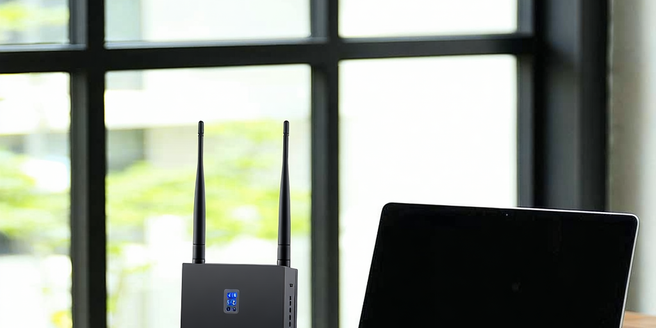
There are several types of Wi-Fi signal boosters, each designed to meet varying needs. The most common include desktop models, wall-plug units, and outdoor extenders. Desktop units, often featuring external antennas, sit on flat surfaces and are ideal for large interior spaces. Wall-plug boosters are small, compact models that plug directly into power outlets and are suitable for typical home usage. Outdoor extenders are built for durability, expanding Wi-Fi coverage to yards and open areas. In addition, some models are dual-band, supporting both 2.4GHz and 5GHz frequencies, which can help in managing network traffic and reducing interference. Choosing the right type depends heavily on your specific requirements, including coverage area, the number of devices, and the structural layout of your home or office.
Setting Up Your Wi-Fi Signal Booster Effectively
Effective setup of a Wi-Fi signal booster begins with its optimal placement. Ideally, the booster should be located halfway between your primary router and the area where improved signal strength is desired, ensuring it can receive a strong signal to amplify. Avoid placing it near thick walls, metal objects, or electronic devices that may cause interference. Many boosters come with smart indicators that aid in finding the best placement. After positioning, the configuration is typically straightforward, often involving pressing the WPS button on both your router and booster to sync them. Consult the manufacturer’s instructions for specific setup details. Ensuring that the firmware and drivers of the booster are up-to-date can also enhance performance. Proper setup maximizes coverage and enhances overall network experience.
Troubleshooting Common Wi-Fi Booster Issues
Even with the best equipment, Wi-Fi boosters can encounter problems such as poor connectivity or interference. Start troubleshooting by checking the placement and ensuring the booster is still within the router’s range. If connectivity issues persist, reset the booster and reconnect following the manufacturer’s guidelines. It’s essential to verify that the device is updated with the latest firmware, as updates often resolve bugs and improve compatibility. For interference issues, experiment with different locations, avoiding areas close to electronic devices or thick walls. Additionally, network congestion can be alleviated by ensuring the booster operates on the least crowded Wi-Fi channel. Familiarizing yourself with the device’s LED indicator lights can also provide insight into its current status and functioning, aiding in diagnosing any ongoing issues.
Comparing Popular Wi-Fi Signal Boosters on the Market
Choosing the right Wi-Fi signal booster can be daunting, given the variety of options available. Popular models such as the Netgear Nighthawk EX7000, TP-Link RE650, and Linksys RE7000 each offer unique features. The Nighthawk EX7000 provides powerful signal amplification and a range of connectivity options including ethernet ports for a seamless wired experience. Meanwhile, the TP-Link RE650 is known for its MU-MIMO technology, allowing multiple devices to receive data simultaneously, reducing wait times and improving efficiency. The Linksys RE7000 stands out with its sleek design and easy setup process, including a Spot Finder feature to ensure optimal placement. When comparing boosters, consider key factors like signal range, speed, installation ease, and compatibility with existing routers to make an informed decision that best suits your connectivity needs.