Noise Cancellation In Video Call Software
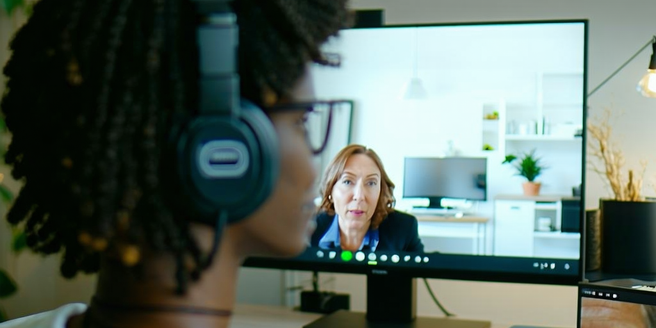
Understanding Noise Cancellation Technology
Noise cancellation technology plays a vital role in enhancing audio clarity in various applications. This technology primarily works by analyzing incoming audio signals and generating a sound wave that is exactly opposite to the noise wave, effectively canceling it out. This process, known as destructive interference, helps in minimizing unwanted ambient sounds. Active noise cancellation, widely used in headphones and video call software, requires sophisticated algorithms to adapt to varying noise patterns. By reducing background disturbances, this technology improves focus and communication, allowing for an immersive auditory experience. Whether in a bustling office or a noisy home environment, understanding how noise cancellation works can help users appreciate its contribution to clear and uninterrupted communication, providing a more seamless interaction whether you’re talking to colleagues or loved ones.
Why Noise Cancellation Matters for Video Calls
In an era where remote work and virtual communication are prevalent, noise cancellation has become crucial for video calls. It significantly enhances the quality of conversations by eliminating distractions from barking dogs, passing traffic, or other unpleasant sounds. Noise cancellation ensures that the speaker’s voice is delivered crisp and clear, leading to more productive calls. Without this technology, background disruptions could easily lead to misunderstandings or miscommunication. Moreover, when participants don’t have to repeat themselves due to noise interference, meetings become more efficient and enjoyable. Especially in professional settings, maintaining a noise-free environment conveys a sense of professionalism and respect. Therefore, integrating effective noise cancellation solutions in video conferencing platforms can make a substantial difference in communication clarity and overall user satisfaction.
Comparing Popular Video Call Software Options
When it comes to choosing video call software with superior noise cancellation features, several options stand out. Zoom, Google Meet, and Microsoft Teams are among the most recognized for their integrated noise suppression features. Zoom uses advanced audio processing to mute background noise effectively, allowing participants to focus on the discussion. Google Meet, on the other hand, offers AI-driven noise cancellation that blocks a variety of ambient sounds while preserving voice quality. Microsoft Teams also integrates real-time noise suppression, constantly updated to filter noise efficiently. Each platform has developed unique algorithms and updates to enhance user experience. The choice between these options often depends on users’ specific needs, including factors like ease of use, feature set, and compatibility with existing systems, making it essential to consider your communication priorities.
How Noise Cancellation Enhances Communication
Noise cancellation significantly boosts communication quality by eliminating disruptive ambient sounds, ensuring that dialogue remains uninterrupted and clear. This enhancement is critical during business calls or webinars, where precise information exchange is vital. With reduced background interference, participants can concentrate better, minimizing the cognitive load associated with filtering out irrelevant noises. Enhanced voice clarity also strengthens speaker engagement and audience interaction. Furthermore, it promotes inclusivity, as those with hearing impairments can understand conversations more easily without auditory clutter. The psychological benefits of noise cancellation cannot be overlooked either; by providing a more serene auditory environment, it reduces stress and improves concentration. Overall, noise cancellation not only enhances the technical quality of communication but also enriches the user’s experience, fostering a more seamless connection.
Troubleshooting Common Noise Cancellation Issues
Occasionally, users may encounter issues with noise cancellation features. One common problem is the failure to activate noise cancellation settings. Users should first check whether the feature is enabled in the software settings. Another issue could be the software’s inability to distinguish between speech and background noise, which might require adjusting sensitivity levels or checking for software updates that address this glitch. Feedback or echo is another frequent annoyance, often resolved by using headphones instead of speakers or altering microphone placement. If the problem persists, consulting the device’s user manual or support forums can provide specific solutions. It’s also beneficial to keep the software updated to the latest version, as developers frequently enhance noise cancellation algorithms. Taking these steps can help troubleshoot effectively and ensure optimal noise cancellation performance.