Maintenance Tips For Noise-canceling Headphones
Understanding the Anatomy of Your Headphones
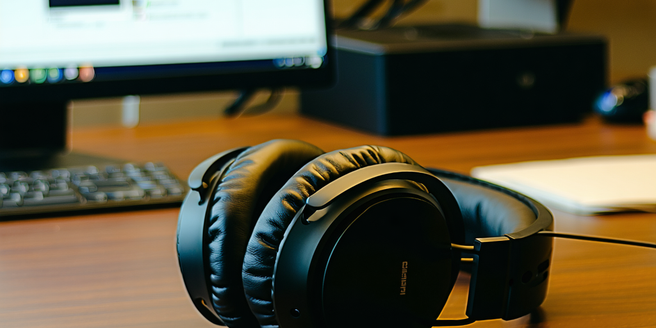
To keep your noise-canceling headphones in top shape, it’s essential to understand their anatomy. These devices typically consist of ear cups, headbands, drivers, and noise-canceling circuitry. Ear cups house the drivers, which convert electrical signals into sound. The headband provides the necessary clamping force to keep the headphones on your head comfortably. Noise-canceling circuitry, powered by internal batteries, actively reduces external sound by generating opposing sound waves. Familiarizing yourself with these components helps in proper maintenance, ensuring you treat each part with the care it deserves. Understanding these headphone parts can assist in troubleshooting or upgrading components if needed, prolonging the lifespan of your device significantly.
Regular Cleaning to Enhance Performance
Keeping your noise-canceling headphones clean is crucial for maintaining optimal performance and hygiene. Regularly wipe down the ear pads and headband with a soft, dry cloth to remove dirt, oils, and sweat, which can degrade materials over time. For a deeper clean, use a damp cloth and mild soap, but avoid excess moisture, particularly near electronic components. Don’t forget the mesh grills protecting the drivers—gently brush these areas to prevent sound obstruction. Regular cleaning not only enhances the device’s lifespan but also ensures that sound quality remains pristine and unhindered. Remember, consistent care can significantly improve your overall listening experience.
Battery Care for Optimal Longevity
The battery is a critical component of noise-canceling headphones, enabling their key feature—active noise reduction. To ensure longevity, avoid fully depleting the battery before recharging. Instead, aim to recharge when the battery level drops to around 20-30%. Store your headphones in a cool, dry place, as extreme temperatures can adversely affect battery life. Moreover, unplug the headphones once fully charged, as overcharging can diminish battery health over time. If your headphones have a removable battery, consider replacing it after a couple of years to maintain performance. With proper battery care, your headphones will continue to deliver superior noise-cancellation capabilities for years.
Handling and Storage Guidelines
Proper handling and storage are paramount for prolonging the life of noise-canceling headphones. Always handle them by the headband, avoiding excessive twisting or stretching, which could damage the frame or internal wiring. When not in use, store the headphones in a protective case to shield them from dust, moisture, and accidental falls. Avoid wrapping the cable too tightly, as this can lead to fraying or breakage. If your model is foldable, gently fold it as intended rather than forcing the joints. Correct handling and storage not only protect the headphones physically but also ensure the device’s functionality remains uncompromised over time.
Troubleshooting Common Issues
When issues arise with noise-canceling headphones, a systematic approach to troubleshooting can be helpful. If you experience connectivity problems, ensure that Bluetooth settings are correctly configured or try re-pairing the device. For audio concerns, inspect for obstructions in the ear cups or check the device’s audio settings. In cases of diminished noise cancellation, verify that the feature is activated and that the battery is adequately charged. If the headphones are not charging, inspect the charging cable and port for any visible damage. By addressing these potential issues step-by-step, many common problems can be resolved, restoring your headphones to their optimal working condition.
Software Updates and Upgrades
Keeping your noise-canceling headphones up to date with the latest software is crucial for functionality and improved features. Manufacturers often release firmware updates that enhance noise-cancellation algorithms, improve connectivity, and add new functionalities. Regularly check the manufacturer’s website or app for updates specific to your model. Install such updates promptly to benefit from performance improvements and feature enhancements. Sometimes, upgrading to a better model may be necessary for advanced features or improved technology. By staying abreast of software updates and upgrades, you ensure your headphones deliver the best performance and the most up-to-date user experience.