Audio Editing Tools For Podcasts
Understanding Basic Audio Editing Concepts
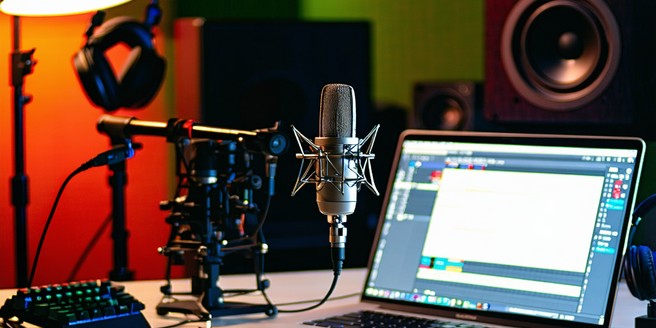
The foundation of great podcast editing lies in understanding basic audio concepts. Begin with grasping the difference between waveforms, bitrate, and frequency. Knowing how to manipulate these elements, such as cutting, splicing, or fading, can enhance the listener’s experience significantly. It’s also essential to prioritize high-quality audio from the recording stage to minimize the need for excessive editing later. Familiarize yourself with common editing tools like equalizers and compressors. These help in balancing sound levels and adding clarity. Additionally, understand the importance of noise reduction techniques to minimize background distractions. Remember, the key is to maintain an engaged audience by ensuring clear, cohesive, and captivating audio content.
Top Free Audio Editing Software Options
Starting a podcast doesn’t require a substantial budget. Numerous free audio editing software options offer robust features to get you started. Audacity is a popular open-source software that supports various plugins and has an easy-to-navigate interface. It is a great choice for beginners and professionals alike. With a bit of creativity, you can produce high-quality content without spending a dime. GarageBand, available on Mac, offers drag-and-drop capabilities and a library of sound effects to enhance your recording. Alternatively, consider Wavepad and Ocenaudio for straightforward editing needs. Each provides multitrack editing, allowing you to layer sounds and experiment with different audio elements without financial investment.
Advanced Features in Premium Tools
While free tools suffice for beginners, premium audio editing software offers advanced features to elevate your podcasts. With a more intuitive user interface, these programs are designed to accommodate both novice and expert users. It’s worth investing in such software if you’re serious about podcasting. Programs like Adobe Audition and Avid Pro Tools provide extensive audio manipulation capabilities. These platforms offer sophisticated noise reduction, spectral analysis, and multitrack recording options not available in free versions. Advanced automation and integration with other creative software streamline the editing process, offering precision in sound production. Leverage these features to produce professional-grade podcasts that stand out.
Tips for Efficient Audio Editing Workflow
Establishing an efficient workflow is crucial for consistent podcast production. Begin by organizing your files and naming conventions for easy retrieval. Use keyboard shortcuts for quick access to frequently-used commands, reducing editing time. Regularly save your work to prevent data loss. Consider batch processing for repetitive tasks, such as noise reduction or volume adjustments, to streamline your editing process. Experimenting with different software tools can also help optimize your efficiency. To further enhance your workflow, create a checklist to ensure all steps are completed prior to publishing. Finally, preview your edits on multiple devices to ensure sound quality is consistent across platforms.
Comparing Audio Quality Across Platforms
Audio quality can fluctuate across different streaming platforms. It’s essential to test your podcast’s audio on various services like Spotify, Apple Podcasts, and Google Podcasts. Check for potential compression artifacts that might degrade sound quality during streaming. You might also consider gathering feedback from listeners to ensure your audio meets their expectations. This step will help you identify any issues early on. Each platform may handle audio data differently, affecting everything from bitrate to loudness normalization. Ensuring consistent quality across platforms requires adapting your export settings to meet the specific requirements of each service.
Choosing the Right Tool for Your Podcast
When selecting audio editing tools for your podcast, start by assessing your specific needs. If you’re a beginner, opt for user-friendly software that offers good tutorials. For experienced editors seeking more features, consider performance-intensive programs with advanced mixing and rendering functions. Don’t forget to explore trial versions before making a purchase to ensure it meets your expectations. It’s also important to read reviews and seek recommendations from other podcasters. Factor in your computer’s operating system and compatibility with software. Evaluate your budget and long-term goals to choose software that offers scalability and integration with other media tools, ensuring a seamless production process.