Adjusting Antenna Direction
Understanding Signal Interference Factors
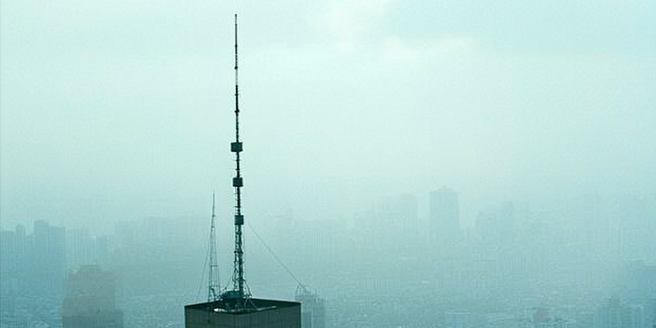
Signal interference can stem from various sources, such as physical obstructions, electromagnetic interference, and weather conditions. Trees and buildings often block signal paths, leading to weakened reception. Similarly, devices that emit electromagnetic waves, like microwaves or wireless routers, can interfere with antenna signals. Weather conditions, like rain or snow, can also impact signal strength. To optimize signal reception, it is essential to understand these factors and minimize their effects when adjusting an antenna. For example, positioning an antenna away from large metal surfaces or relocating it to a higher point with fewer obstructions can significantly improve signal quality. Evaluating the surrounding environment and making adjustments based on potential interference sources can greatly enhance the performance of an antenna system, ensuring reliability and quality.
Tools Required for Antenna Adjustment
When adjusting an antenna, the right tools are crucial for effective setup and calibration. A compass aids in determining the direction towards the broadcast towers, ensuring accurate alignment. A signal strength meter helps measure the signal’s quality in real-time, allowing precise adjustments for optimal reception. Basic hand tools like wrenches or screwdrivers may be needed to secure the antenna in place after adjusting its angle or orientation. Additionally, access to a ladder might be necessary for reaching antennas installed at heights. Having a smartphone can be extremely useful, especially with apps that help locate nearby broadcasting towers. Preparing these tools in advance ensures a smooth and efficient adjustment process, minimizing trial and error, and leading to a stable, high-quality signal reception tailored to your specific location.
Step-by-Step Guide to Finding the Best Direction
Finding the optimal direction for your antenna involves several steps. Begin by researching the location of nearby broadcast towers, which you can find via online databases or mobile applications designed for this purpose. Using a compass, align your antenna towards the general direction of these towers. Next, use a signal strength meter or a digital TV’s built-in tuner to monitor reception quality as you make slight directional adjustments. Rotate the antenna slowly while observing signal strength changes, and aim for the highest possible reading. Secure the antenna firmly once you’re satisfied with the direction. Periodically recheck the signal strength to ensure stability. This process, although straightforward, requires patience to achieve the best signal reception, factoring in local variables such as topography and potential sources of interference, leading to optimal viewing experience.
Common Mistakes and How to Avoid Them
Adjusting an antenna can be tricky, and several common mistakes can impede signal quality. One critical mistake is overlooking physical obstructions; placing an antenna near trees or buildings can block signals and reduce reception quality. Another frequent error is not considering electromagnetic interference from household appliances like Wi-Fi routers or microwaves, which can disrupt signals. Failing to adequately secure the antenna after adjustments can lead to shifts in its position, especially from wind, further deteriorating reception. To avoid these issues, it’s important to thoroughly evaluate the surrounding environment, ensuring a clear line to the signal source and securely fastening the antenna mount. Regularly checking for any misalignments or new obstructions in the path can prevent signal deterioration, maintaining strong and consistent reception over time.
Optimizing Antenna Position for Various Environments
Antenna positioning varies significantly across different environments, and understanding these nuances is key for optimization. In urban areas, where tall buildings may obstruct signals, elevating the antenna above rooflines can help capture clearer signals. In rural settings, with limited obstructions but potential distance from signal sources, a more elevated position coupled with a directional antenna may be effective. Suburban environments might require balancing between elevation and clearing large residential structures. Consider variables like terrain and local structures that may impact signal pathways. Additionally, experimenting with directional versus omni-directional antennas depending on the specific setting can yield different results. By considering the unique challenges each environment presents, users can adjust accordingly, fine-tuning antenna placement to achieve the best possible reception quality catered to their location.
Troubleshooting Reception Issues Post-Adjustment
After adjusting your antenna, some issues may persist, requiring a troubleshooting approach. Begin by checking if the antenna is securely mounted and in the correct alignment. Reassess the signal path for new obstructions that might have appeared since initial setup. Interference from nearby electronic devices might also cause problems—temporarily switching off potential culprits like microwave ovens or Wi-Fi routers can rule this out. It’s also wise to inspect cables and connections for any damage or wear that might be affecting signal transmission. Testing with another antenna can help determine if the issue lies with the unit itself. If using a powered amplifier, ensure it’s functioning correctly. A systematic evaluation of these factors usually helps identify and resolve signal issues, improving your overall reception experience.