Content Creation Tools For Remote Teams
Introduction to Remote Content Creation
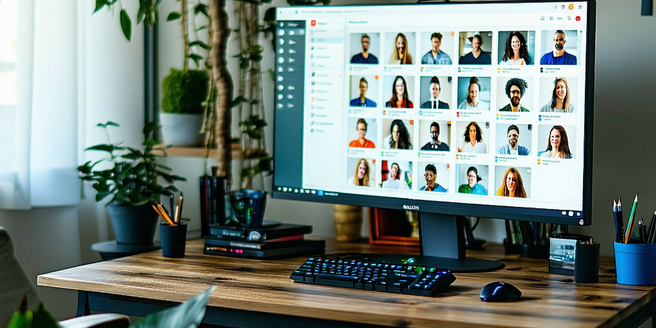
In the evolving landscape of digital workplaces, remote content creation has become pivotal. It’s revolutionized how teams collaborate, freeing them from the constraints of physical locations. Remote content creation facilitates flexibility, enabling contributors from across the globe to share their perspectives and expertise. This method ensures a rich diversity of ideas, which is central to creating engaging and relevant content. Furthermore, it allows teams to leverage the best talent, irrespective of geographical barriers, ensuring high-quality outputs. Modern collaboration tools are equipped with features designed to overcome challenges associated with remote work, such as communication gaps and productivity issues. Systems providing real-time updates, version control, and integrated communication platforms have become indispensable. The transition to remote content creation empowers teams to work more efficiently while fostering innovation and creativity.
Key Features to Look for in Content Tools
When selecting content creation tools for remote teams, it’s essential to identify key features that can enhance productivity and collaboration. First, consider tools that offer real-time collaboration and editing features, enabling team members to work simultaneously on projects without confusion. Version history and tracking ensure accountability and provide a safety net for recovering previous work. Integration capabilities with other software systems are equally important, allowing seamless and efficient workflow across platforms. User-friendly interfaces that require minimal training are a plus, decreasing onboarding time for new team members. Security features ensuring data protection are paramount, given the rise in cyber threats. A scalable tool that can grow with your team and business is a long-term necessity. Prioritizing these features will ensure your team remains productive and creative in a digital-first world.
Top Project Management Platforms
Choosing the right project management platform is crucial for the success of remote teams. Tools like Trello, Asana, and Monday.com lead the market by providing intuitive interfaces and robust features that simplify task management. Trello’s card system helps visualize tasks, making it easier to manage workflows. Asana supports complex project structuring and tracking, beneficial for teams managing extensive projects. Monday.com offers versatile customization options, catering to diverse team requirements. A good platform should support collaboration, provide notifications, and offer insights and reports for measuring progress. Integration with other tools enhances functionality, reducing toggling between applications. These platforms enable efficient resource management, ensuring everyone is aligned on objectives and deadlines. The right project management tool can significantly boost productivity and maintain cohesive team dynamics.
Collaboration Software for Creative Teams
Creative teams thrive on seamless collaboration and idea-sharing. The right software can transform these interactions, fostering an environment of creativity and productivity. Tools like Slack, Miro, and Google Workspace are at the forefront. Slack offers versatile communication channels for real-time discussions. Miro provides interactive digital whiteboards for brainstorming sessions, facilitating remote creativity. Google Workspace integrates email, documents, and storage solutions, ensuring a streamlined working experience. Such tools support asynchronous and synchronous communication, a necessity for global teams operating across time zones. They help maintain transparency and include features like file sharing, task delegation, and feedback loops. These capabilities ensure that creative teams can focus on innovation without the hindrance of logistical concerns, fostering a collaborative spirit that fuels success.
Graphic Design Tools to Enhance Visual Appeal
Graphic design is a cornerstone of modern content creation, requiring powerful tools to produce visually stunning results. Adobe Creative Cloud remains the industry standard, offering a suite of applications like Photoshop and Illustrator that cater to various design needs. Canva is another popular tool with a user-friendly interface, allowing non-designers to create professional graphics quickly. Its template-based approach is valuable for teams needing rapid content turnaround. Figma empowers team collaboration on design projects, facilitating live feedback and edits. Each tool offers unique strengths, but all aid in enhancing visual communication. Selecting the right toolkit depends on project requirements and team expertise. In a digital-first environment, having the appropriate graphic design tools is vital for maintaining brand aesthetics and engaging audiences effectively.
Content Scheduling and Management Solutions
Efficient content scheduling and management is essential for maintaining a steady digital presence. Tools like Buffer, Hootsuite, and CoSchedule help manage social media and content calendars, ensuring consistent engagement with audiences. Buffer enables well-timed posts across platforms, while Hootsuite offers social media analytics and listening tools for strategic insights. CoSchedule provides comprehensive content marketing solutions, integrating editorial calendars with task management features. These tools allow teams to plan, execute, and track content campaigns effectively. Automating postings minimizes manual intervention, freeing up time for creative pursuits. Integration with analytics tools provides measurable results, aiding in refining strategies. A reliable content management solution ensures that content aligns with overarching marketing goals and resonates with target audiences, sustaining digital presence and fostering brand growth.