Streamlined Streaming Devices
Understanding the Basics of Streaming Devices
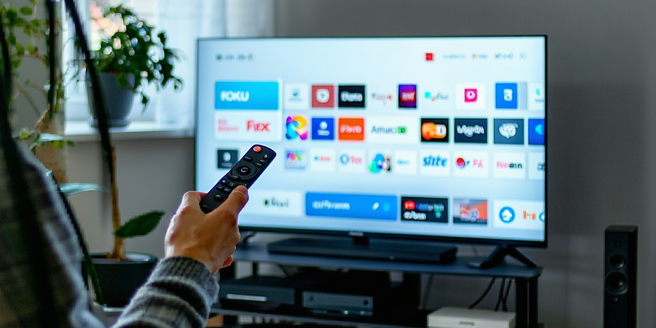
Streaming devices have transformed the way we consume media, allowing users to access movies, television shows, and music with just a few clicks. These compact devices connect to your television or other display screens, delivering content via an internet connection. Once linked to their respective apps, streaming devices let users explore a world of options without traditional cable packages. They run on operating systems designed for media consumption, offering a user-friendly interface accessible through remote controls or even smartphones. They have become essential tools, bridging the gap between conventional and digital media, revolutionizing how media and entertainment are consumed globally. Some well-known brands in the market include Roku, Amazon Fire Stick, and Apple TV, each providing unique features and an extensive library of content.
Key Features to Look for in Modern Streamers
Choosing the right streaming device can significantly enhance your viewing experience. When selecting a device, consider its compatibility with your TV and other devices, as well as the available content library and supported streaming services. Look for high-resolution support, such as 4K or HDR, for the best picture quality. It’s also worth checking user reviews to gauge real-world performance and satisfaction. Check the device’s connectivity options, including WiFi and Bluetooth, ensuring seamless integration with other smart home gadgets. Voice control and personalized recommendations can vastly improve ease of use. Additionally, prioritize devices that receive regular software updates to maintain performance and add new features over time. Evaluate the device’s processing speed and storage capacity to avoid lagging or buffering, ensuring smooth streaming experiences.
Comparing Popular Streaming Device Brands
Today’s market offers a variety of streaming devices, each with unique strengths and customer bases. Roku often wins praise for its simplicity and vast selection of channels, functioning as an agnostic platform that supports numerous apps. Amazon’s Fire TV Stick is a popular choice for those already embedded in the Amazon ecosystem, offering seamless integration with Alexa. Apple TV stands out for those deeply invested in the Apple ecosystem, renowned for its robust app support and high-quality streaming capabilities. Google’s Chromecast impresses with its minimalist approach, allowing users to stream content from their devices to TVs effortlessly. Each of these brands presents specific advantages in terms of price, compatibility, user interface, and exclusive content, allowing consumers to tailor their choice to match personal preferences and lifestyle needs.
Setting Up Your Streaming Device Efficiently
Setting up your streaming device doesn’t have to be daunting. Start by connecting the device to your TV’s HDMI port, then power both devices on. Use the TV remote to select the proper HDMI input, and follow the on-screen instructions provided by the device. Most devices will prompt you to connect to your home WiFi network, so ensure your network name and password are handy. The next steps usually involve signing into existing accounts or creating new ones. Pay attention to suggested settings like language preference, display resolution, and parental controls. Don’t forget the software updates—that initial setup often includes downloading and installing updates to ensure the device runs smoothly. With these steps, you’re ready to start enjoying a multitude of streaming options at your fingertips.
Troubleshooting Common Streaming Device Issues
Streaming device issues can sometimes disrupt your entertainment, but they are generally straightforward to resolve. If you experience buffering, check your internet connection and consider restarting your router. For devices that are unresponsive, try power cycling—unplug the device, wait a few minutes, then plug it back in. Ensure your device’s firmware is up to date, as updates often fix bugs and enhance performance. For connectivity issues, ensure that your device is close to the WiFi router and remove any physical obstructions. If the device fails to display on your TV, ensure all cables are securely connected and the correct HDMI input is selected. If issues persist, factory resetting the device and repeating the setup process may resolve more complex problems.