Smart Light Automation
Introduction to Smart Lighting Systems
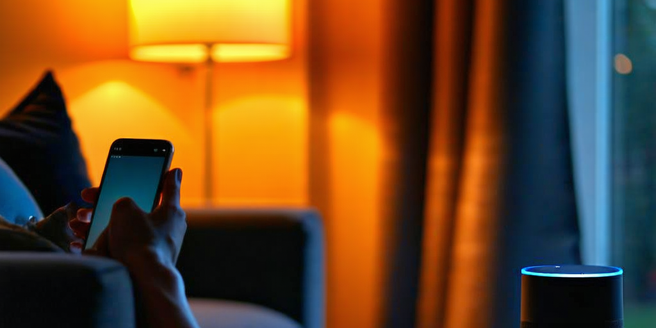
Smart lighting systems represent a revolution in how we control and customize our environments. These systems leverage advanced technologies to provide enhanced control, energy efficiency, and convenience. Unlike traditional lighting, smart lighting can be controlled remotely with just a smartphone app or through voice commands via virtual assistants like Alexa or Google Assistant. They also offer features such as dimming, scheduling, and even color-changing capabilities, allowing users to personalize lighting to suit their mood or activities. The integration of sensors further enhances their appeal by enabling automatic adjustments based on the time of day or occupancy, thus creating a more intuitive and responsive lighting solution. With the evolution of smart homes, smart lighting systems are becoming an essential component, offering not just functionality, but also enhancing the aesthetic appeal of the living spaces.
Benefits of Automating Your Home Lighting
Automating your home lighting system comes with a plethora of benefits that extend beyond mere convenience. One of the foremost advantages is energy efficiency, as smart lighting systems can optimize energy consumption by adjusting brightness based on natural light availability and usage habits. This leads to cost savings on electricity bills while reducing your carbon footprint. Additionally, automation provides enhanced security; you can schedule lights to turn on and off at specific times when you’re away, simulating occupancy and deterring potential intruders. The ability to control lighting remotely means you can always manage energy usage even when you’re not at home. Personalization is another significant benefit, allowing for customizable settings that can create the perfect ambiance for any occasion, whether it’s a cozy movie night or a lively dinner party. Together, these benefits significantly enhance the overall comfort and functionality of your home.
Key Features of Smart Light Technologies
Smart light technologies boast several key features that set them apart from their traditional counterparts. Firstly, connectivity is a major feature, as smart lights can be connected through Wi-Fi, Bluetooth, or dedicated smart home ecosystems like Zigbee or Z-Wave, enabling seamless integration with other smart home devices. Another defining feature is adaptability; smart lights offer a range of color temperatures and brightness levels that can be adjusted to create the desired ambiance. Scheduling and automation features allow users to program their lights to turn on or off at specific times or in response to certain triggers, such as daylight levels or motion detection. Energy-saving modes are also crucial, further enhancing their economic and ecological benefits. Voice control compatibility with systems like Amazon Alexa or Google Assistant adds a layer of convenience, allowing easy control without physical interaction.
How to Set Up a Smart Light System
Setting up a smart light system in your home can be a straightforward process but requires careful planning to ensure optimal performance. Start by selecting compatible smart bulbs or fixtures that match your existing lighting setup. Ensure your chosen devices are compatible with your home’s network technology, whether it be Wi-Fi or other smart home protocols. Next, download the corresponding app for your smart lights on your smartphone or tablet, which will act as your control hub. Follow the manufacturer’s instructions to connect each device to your home network. Once connected, use the app to assign each light to a room or zone for easy management. Customize your lighting schedules, set up automation triggers, and integrate with any voice assistants you may use. Remember to test all settings to ensure functionality, and adjust as needed for optimal performance and satisfaction.
Troubleshooting Common Smart Light Issues
Even with advanced technology, smart lights can sometimes encounter issues. A common problem is connectivity; if your lights aren’t responding, check your internet connection and make sure all devices are connected to the network. Restart your router if necessary. Another issue could be with compatibility; ensure your smart lights are compatible with your home network and other devices. If a light doesn’t turn on, verify that the physical power switch is on and the bulb is properly installed. If the automation features aren’t working correctly, revisit your settings in the app to ensure they are programmed as intended. It’s also a good idea to check for firmware updates, as manufacturers often release patches that address bugs and improve performance. Understanding these common issues and how to troubleshoot them will help you maintain a smoothly operating smart lighting system.