Home Entertainment System Automation
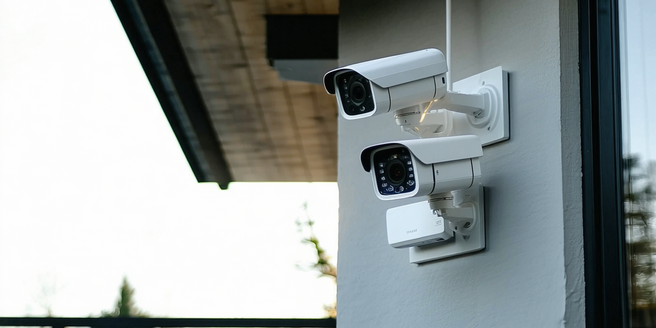
Understanding the Basics of Home Automation
Home automation involves the integration of technology with everyday tasks, enhancing convenience and efficiency. It encompasses various smart devices that communicate with each other to perform automated routines. For instance, lighting, heating, and security systems can be controlled remotely via a smartphone or a smart hub. Understanding the basics is crucial, as it involves setting up a centralized network where devices are interconnected. The goal of home automation is to create a seamless living environment that saves time and energy while boosting security. The initial step is to identify which aspects of home automation suit your lifestyle and needs. From here, you can explore devices and ecosystems that best fit your home environment. Understanding protocols and compatibility is essential to avoid future issues in expanding your automated system.
Essential Components for System Integration
When integrating a home entertainment system, several components play critical roles. Central to this integration is the smart hub, which acts as the brain of your ecosystem, connecting all devices and facilitating communication. Compatibility is vital; devices must support the same protocols such as Wi-Fi, Zigbee, or Z-Wave. Another key component is the user interface, where applications allow control over the system, typically via smartphones or tablets. Audio-visual receivers distribute signals to your speakers and screens, ensuring quality sound and picture. Cables and networking components ensure stable connections, while smart sensors add another layer of interaction, adjusting lighting or audio based on movement or time of day. Proper integration results in a fully connected system that operates harmoniously, tailored to enhance your entertainment experience.
Step-by-Step Guide to Setup Your System
Setting up a home entertainment automation system requires careful planning and execution. Begin by assessing your entertainment needs and identifying the devices you wish to automate, such as TVs, speakers, and lighting. Decide on a smart hub that supports the necessary wireless protocols and is compatible with your chosen devices. Next, organize your devices’ layout to optimize connectivity and accessibility, ensuring uninterrupted power sources. Follow the manufacturer instructions to connect each device to the smart hub, often through a user-friendly app. Install and configure control apps on your smartphone or tablet, customizing settings to suit your preferences. Test each component individually to confirm smooth operation, then automate tasks such as turning on the TV, adjusting lights, and managing sound settings. Completing this setup enhances your entertainment experience while adding convenience and efficiency.
Customizing Features for Optimal Experience
Once your entertainment system is up and running, customizing features can significantly enhance your experience. Start by exploring the control app’s settings to tailor sound and display quality according to content type. You can create routines for different activities, such as a movie night setting that dims lights and optimizes surround sound. Voice assistants like Alexa or Google Assistant allow for hands-free control, adding layers of convenience. Evaluate motion sensors and cameras for security, linking them to adjust lighting or alerts. Integrating music streaming services expands your audio options, while parental controls keep content appropriate for all ages. Consider experimenting with different device combinations to maximize your network’s capabilities. Customization not only improves functionality but also ensures the system meets your lifestyle and entertainment preferences, delivering an immersive and enjoyable experience.
Troubleshooting Common Automation Issues
Despite the allure of home automation, users may encounter several common issues. Connectivity problems often arise due to incompatible devices or weak network signals. It’s crucial to ensure all devices support the same communication protocols and that Wi-Fi coverage is adequate. Devices may not respond as expected, requiring a reset or updates to software and firmware. Additionally, overlapping signals or interferences from other electronics can disrupt performance. Simplifying workflows by reducing unnecessary automation can help identify troublesome areas. Security concerns also need attention, as interconnected devices can be vulnerable to cyber threats; ensure devices have strong passwords and updated security patches. User manuals and online forums offer guidance, and contacting customer support can resolve persistent issues. Troubleshooting is an ongoing process that ensures your automated system runs smoothly and securely.