Stylus Pens For Creative Remote Work
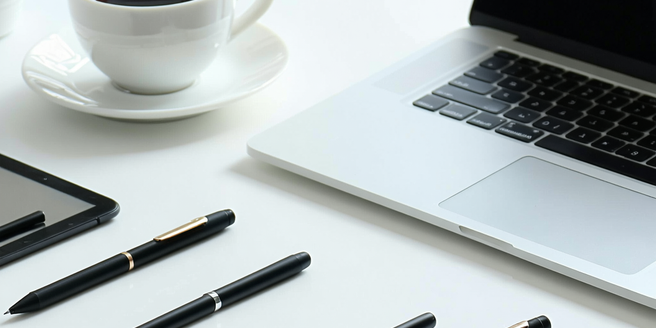
Understanding the Benefits of Stylus Pens in Remote Work
Stylus pens have become essential in remote work for their precision and ease of use on touch devices. They transform digital screens into versatile canvases, facilitating tasks ranging from note-taking to detailed graphic design. Unlike traditional methods, stylus pens can seamlessly integrate with numerous apps, increasing productivity and elevating creativity. With a stylus, remote workers can annotate documents directly, eliminating the need for printing. Additionally, stylus pens reduce physical clutter, promoting a more streamlined workspace. For creative professionals, stylus pens offer pressure sensitivity features, allowing variation in line thickness and shading, which is critical in artistic work. Thus, stylus pens not only enhance efficiency but also expand creative possibilities significantly, making them a valuable tool for any remote work setup.
Top Features to Look for in a Stylus Pen
When choosing a stylus pen, it’s crucial to consider several features to enhance your digital experience. Pressure sensitivity is a top priority—this feature allows for varying line thickness, much like traditional drawing tools, making it indispensable for artists. Palm rejection is another critical feature, enabling you to rest your hand on the screen without disrupting your work. Compatibility with multiple devices can offer flexibility, saving you from buying multiple styluses. Consider the stylus’s battery life; a long-lasting charge is vital for uninterrupted workflow. The pen’s tip material can also influence its performance; softer tips often provide a more natural feel and better precision. Finally, having customizable buttons on your stylus can boost productivity by allowing quick access to frequently used functions.
Comparing Different Stylus Pens for Creativity
Comparing stylus pens involves evaluating several key elements that cater to various creative needs. Wacom pens, for instance, are renowned for their high pressure sensitivity and robust build, preferred by professional artists for precision. Apple’s Apple Pencil is known for its seamless integration with iPads, providing features like tilt sensitivity and low latency, making it perfect for graphic design. Alternatively, Samsung’s S Pen offers a unique air gesture feature, enhancing its functionality for presentations or photo editing. However, budget-conscious users may prefer Adonit or Lenovo’s styluses, as they provide adequate functionality at a more affordable price. Each stylus has its strengths, and selecting the right one depends on specific requirements such as device compatibility, intended use, and budget constraints, ensuring that creativity is never hindered.
How to Integrate Stylus Pens into Your Workflow
Integrating a stylus pen into your workflow can significantly enhance productivity and creativity. Start by exploring apps that complement stylus functionality, such as note-taking apps like Notability or drawing apps like Procreate. These applications are designed to harness the full potential of a stylus, offering advanced features like pressure sensitivity and palm rejection. Incorporating a stylus for brainstorming allows for more dynamic idea mapping, utilizing sketches, and annotations alongside text. Additionally, leveraging a stylus for markups on documents can streamline communication, enabling precise feedback without leaving the digital ecosystem. Adopting a stylus pen also reduces paper dependency, creating a more eco-friendly and organized workspace. By experimenting with various applications and techniques, you can discover how a stylus pen best suits your specific workflow demands.
Maintaining Your Stylus Pen for Longevity
Ensuring your stylus pen’s longevity involves regular maintenance and careful usage. Begin by keeping the stylus clean; dust or debris can accumulate on the tip, affecting performance. Use a microfiber cloth for cleaning and avoid harsh chemicals that could damage the material. Replacing the nib as it wears down is essential; a worn-out nib can lead to inaccuracies and screen damage. Store the stylus properly when not in use, preferably in a case to prevent accidental damage. Avoid subjecting the stylus to extreme temperatures, as this could effect its internal components. Checking for firmware updates ensures optimal performance and access to new features. With these practices, your stylus pen will remain a reliable tool in your digital arsenal for years to come.