Bluetooth Speaker Bass Test
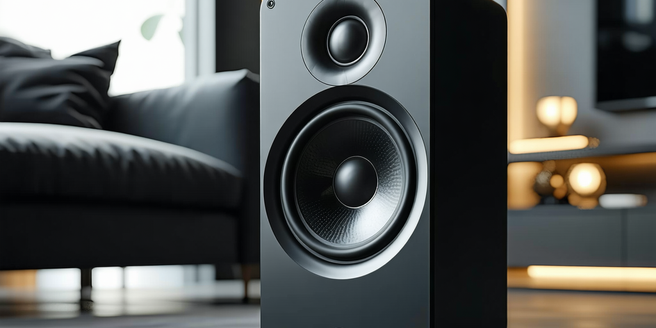
Understanding Bass Frequencies in Bluetooth Speakers
Understanding bass frequencies in Bluetooth speakers involves examining how soundwaves are produced by the device. Bass refers to the lower end of the audio spectrum and is crucial for a full-bodied listening experience. Different speakers have varied capabilities to produce these low frequencies, and it often depends on the size of the drivers and the cabinet design. A speaker’s ability to reproduce bass is influenced by its frequency response range, which indicates the lowest and highest frequencies it can handle. Typically, a good Bluetooth speaker should have a lower frequency limit below 60Hz for adequate bass performance. Additionally, understanding the balance between bass and other frequencies, such as mids and treble, is essential to avoid muddled sound and ensure clarity. This knowledge helps users make informed decisions when purchasing or optimizing speaker settings.
Top Bass-Heavy Bluetooth Speakers to Consider
When searching for bass-heavy Bluetooth speakers, several models stand out due to their exceptional low-frequency performance. The JBL Boombox 2 is renowned for its impressive bass response, featuring dual passive radiators that enhance its deep sound. Another contender is the Sony SRS-XB43, which incorporates Extra Bass technology to deliver powerful low-end tones that truly resonate. For those who prioritize portability without compromising bass, the Ultimate Ears Hyperboom offers a balanced audio experience with a punch, credited to its 4.5-inch subwoofer. Meanwhile, the Bose SoundLink Revolve+ is famed for its room-filling 360-degree sound and punchy bass, ideal for both indoor and outdoor settings. These options showcase how far Bluetooth speaker technology has come, ensuring that those who love bass can enjoy it no matter where they are.
How to Properly Position Your Speaker for Bass
Proper speaker placement is vital for achieving the best bass performance from your Bluetooth device. Start by placing the speaker near a wall or in a corner; this will help reinforce bass frequencies through effective sound wave reflection. Avoid placing it too close to soft furnishings like curtains or couches, as these can absorb sound and dampen bass impact. Elevate the speaker to ear level if possible, ensuring an unobstructed path of soundwaves from the speaker to the listener. Be mindful of the materials the sound waves are bouncing off; hard surfaces can enhance bass, but too many reflections can muddy the sound. Experiment with different positions and angles; slight adjustments can significantly affect the audio output, particularly at lower frequencies. Understanding your space’s acoustics is key to optimizing your speaker’s bass performance.
Essential Tracks for Testing Bass Performance
Selecting the right tracks to test bass performance is crucial when assessing Bluetooth speakers. Songs like “Billie Eilish’s ‘Bad Guy’” offer deep, pulsing bass lines that challenge a speaker’s low-frequency capabilities. “Lord of the Isles’ ‘XIT’” can be another excellent choice, as its extended bass notes require precision and clarity. For a classic bass-heavy hit, “Queen’s ‘Another One Bites the Dust’” delivers iconic bass riffs that test a speaker’s punch and depth. Electronica tracks like “Massive Attack’s ‘Angel’” provide dynamic range and depth, pushing speaker performance to the limits. Meanwhile, “Dr. Dre’s ‘The Next Episode’” highlights sub-bass frequencies that many Bluetooth speakers struggle with. Picking diverse bass-focused tracks allows you to thoroughly evaluate how well a speaker can deliver rich and powerful low-end sound.
Troubleshooting Bass Issues in Bluetooth Speakers
Experiencing bass issues with Bluetooth speakers can be frustrating, but several troubleshooting steps can help. First, check for any physical obstructions around the speaker that may impede airflow and reduce bass performance. Speaker settings play a significant role, so explore any equalizer options available to adjust bass levels to your liking. Consider software updates for your speaker’s firmware, as updates can enhance audio processing capabilities. If distortion occurs, ensure your speaker isn’t set to maximum volume; high volumes can lead to clipping and reduced audio quality. Additionally, test different audio sources; sometimes the issue might be linked to specific tracks rather than the speaker itself. Finally, in scenarios where wireless interference could impact bass performance, switching to a direct wired connection may offer improved performance and reduce latency issues.