Strengthening Network Infrastructure At Home
Understanding Your Home Network Setup
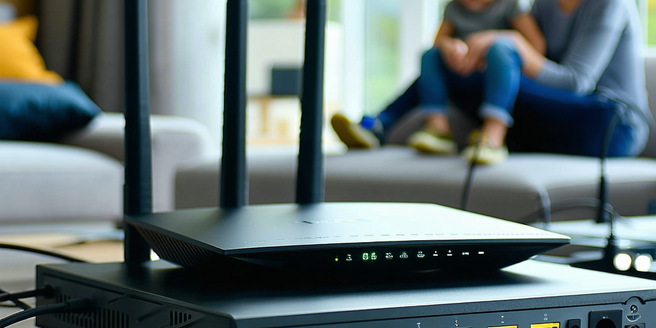
Setting up a home network involves understanding the basic components: modem, router, and your devices. The modem connects to the internet service provider, translating incoming and outgoing data between your home network and the internet. The router distributes internet connections to your devices, both wired and wirelessly. Learning to configure these components is crucial; ensure your router’s firmware is up-to-date and change default settings for additional security. Knowing which device is connected to your network helps manage bandwidth, providing a seamless internet experience. Familiarize yourself with your ISP’s application or portal for better control over network performance. Properly setting up a network involves organizing cables, avoiding interference from devices like microwaves, and situating routers in central locations, ensuring optimal coverage. Mastering these elements lays a solid foundation for a robust home network.
Choosing the Right Networking Equipment
Choosing the right networking equipment is pivotal in creating a reliable home network. Start by identifying your internet speed requirements; if high-speed internet is necessary, ensure your modem and router can support it. Dual-band routers, which operate over 2.4GHz and 5GHz frequencies, offer flexibility and better connectivity. Consider the size of your home; large spaces may require mesh systems or range extenders for full coverage. Routers with advanced features like MU-MIMO can handle multiple simultaneous device connections, important for homes with many smart devices. Ensuring your networking hardware supports the latest Wi-Fi standards, like Wi-Fi 6, improves speed and efficiency. Research brands known for durable and user-friendly products, and read reviews to find equipment that aligns with your needs. Investing in quality networking gear yields improved performance and security.
Optimizing Wi-Fi Coverage and Signal Strength
Optimizing Wi-Fi coverage and signal strength involves strategic router placement and configuration adjustments. Place your router in a central location, ideally elevated, for even coverage. Avoid positioning near obstructions or electronic devices that may cause interference. Configure antennas to broaden the coverage area, angling them for optimal performance. Adjust the router’s settings to select less crowded channels, especially in congested environments. Consider implementing a mesh Wi-Fi system in larger homes, where a single router may fall short, ensuring strong coverage throughout the premises. Regularly update your router’s firmware to benefit from improvements in connectivity and security. Enabling Quality of Service (QoS) settings can prioritize bandwidth for critical applications, enhancing overall network performance. These measures ensure consistent and reliable access across all areas of your home.
Implementing Network Security Measures
Implementing network security measures is essential to safeguard your home network from unauthorized access and cyber threats. Begin by changing the default login credentials of your router to a unique username and strong password. Enable WPA3 encryption on your Wi-Fi network, providing the latest in security protocols. Regularly update firmware to patch vulnerabilities and enhance performance. Consider creating a separate guest network to restrict visitors’ access to your primary network resources. Implement network firewalls and enable network address translation (NAT) to add layers of protection. Disable unused features and services that could expose your network to risks. Enable network monitoring tools to detect and respond to suspicious activity promptly. By adopting these security measures, you fortify your home network against intrusions and maintain a safe digital environment.
Monitoring and Maintaining Network Performance
Effectively monitoring and maintaining network performance ensures consistent connectivity and optimal speeds. Begin by using network monitoring tools to gain insight into your network’s performance, identifying potential issues. Regularly check for firmware updates for your router, as they often include performance improvements and security patches. Analyze bandwidth usage to identify devices or applications consuming excessive data, and adjust Quality of Service (QoS) settings to prioritize traffic where needed. Periodically rebooting your router can help alleviate temporary network problems. If your network supports it, consider enabling automatic notifications for connectivity issues or firmware updates. Regularly review network logs to spot irregularities that may indicate hardware or security issues. Maintaining network hygiene through these proactive measures ensures smooth and efficient operation, reducing downtime and enhancing user experience.