Smart Home Compatibility
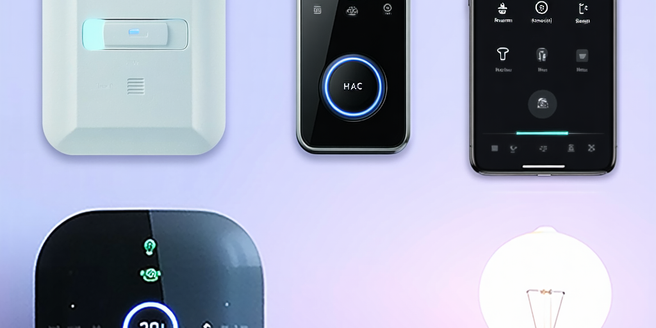
Understanding smart home integration is key for creating a unified system where devices like lights, thermostats, and security systems communicate effectively. Smart home integration thrives on protocols like Wi-Fi, Zigbee, and Z-Wave, ensuring devices from various manufacturers work together. Popular platforms like Google Home, Amazon Alexa, and Apple HomeKit offer unique features and robust compatibility across devices. Choosing devices that align with your preferred platform is crucial for seamless operation. Ensuring strong connectivity through a reliable network enhances performance. Future-proofing involves selecting products from reputable manufacturers that support new technologies and scalability. This approach maximizes efficiency, security, and user-friendliness in a smart home.

Wearables In Wildlife Conservation Studies
"Explore the transformative role of wearable technology in wildlife conservation. These lightweight, non-invasive devices provide researchers with vital data on animal behavior, movements, and health without disturbing their natural habitats. Advances in GPS trackers, bio-loggers, and sensors have revolutionized ecological studies, offering insights into migration patterns, habitat use, and environmental adaptability. This integration of modern technology enhances the effectiveness of conservation strategies, aiding in the protection of endangered species. Discover success stories from GPS-tracked elephants in Africa to radio-collared wolves in North America, demonstrating the profound impact of wearables on wildlife research and preservation. Despite challenges like battery life and potential behavioral impacts, the future is promising with innovations in solar power and data transmission. Embrace the potential of wearable technology to deepen our understanding of complex ecosystems and fortify conservation efforts."

Mobile Tech In Healthcare Solutions
Mobile applications are revolutionizing patient care by offering instant access to medical resources and remote consultations, which improve patient engagement and health management. These apps integrate with electronic health records to enhance diagnostic accuracy and treatment plans. Improved doctor-patient communication through secure messaging and video consultations fosters better interactions, trust, and health outcomes. Mobile health monitoring, utilizing sensors and wearable technology, provides real-time health insights, enabling early detection of issues and more personalized care. Although data security in mobile healthcare solutions presents challenges, encryption and robust security measures are essential to protect sensitive health information. Wearable technology further supports modern healthcare by enabling continuous monitoring and real-time data collection, aiding in preventive care and chronic disease management. These advancements collectively enhance the efficiency of healthcare delivery while promoting sustainable practices for both patients and providers.

Meditation Apps For Stress Relief
Meditation apps are popular tools for stress management and mental health improvement. They offer guided sessions suitable for all levels and provide flexibility to practice anywhere, anytime. Features such as progress tracking and personalized recommendations enhance user experience. When choosing an app, consider key features like diverse meditation topics, customizable session lengths, and a user-friendly interface. Popular apps like Headspace, Calm, Insight Timer, and Ten Percent Happier offer unique features for stress relief. To integrate these apps into daily life, set realistic goals, establish a routine, and explore different meditation styles. Maximize benefits by maintaining consistency, setting clear session intentions, and engaging with community features. These strategies help users cultivate a regular meditation practice, significantly reducing stress and promoting well-being.

Revolutionizing Personal Finance With Budgeting Apps
Budgeting apps have become increasingly popular as tech-savvy consumers seek digital tools for managing personal finances. These apps offer convenience with features like real-time data integration and customizable categories, appealing to a diverse range of users. Key offerings include automatic transaction updates, spending insights, goal-setting options, and multi-platform access. Enhanced security with encryption and the integration of education-focused content further boosts financial literacy. Popular apps like Mint, YNAB, and PocketGuard provide tailored solutions for various budgeting needs and pricing models. To maximize the experience, users are encouraged to regularly review expenses, set realistic goals, and stay updated with app features. Overall, budgeting apps promote smarter spending habits and improve financial health by turning complex financial tasks into an engaging and informative experience.

User Experience With Premium Earbuds
Premium earbuds are known for their exceptional design and build quality, crafted from high-grade materials like aluminum and reinforced plastics for durability and a lightweight feel. They offer superior audio performance with high-fidelity sound, advanced drivers, and noise-cancellation technology for an immersive experience. Ergonomically designed for comfort, they come with multiple ear tip options, ensuring a snug fit for prolonged use without discomfort. Premium earbuds also boast impressive battery life and charging options, including quick and wireless charging. Advanced features like smart assistants, touch controls, and seamless Bluetooth connectivity enhance user experience, making these earbuds sophisticated and reliable for everyday use.

Air Purifiers For A Healthy Workspace
Maintaining good indoor air quality is crucial for health and well-being, as indoor spaces can contain pollutants like dust, allergens, and volatile organic compounds. Poor air quality may lead to respiratory issues and reduced productivity, making air purifiers important for filtering harmful particles and improving air quality. Key air purifier technologies include HEPA and activated carbon filters, UV light, and ionizers, each with unique advantages. For office use, consider features such as filtration efficiency, noise level, room coverage, and smart functionalities. The benefits of using air purifiers in workspaces include better health outcomes, increased productivity, and enhanced comfort. When choosing an air purifier, compare brands and models based on performance, features, and customer feedback to find the best fit for your specific needs and budget.

Ai For Personalized Marketing
Artificial Intelligence (AI) is crucial for personalization, using data insights to tailor experiences to individual preferences. It predicts consumer behavior, providing recommendations that enhance engagement and efficiency. Personalized marketing strategies increase loyalty and conversion rates by resonating with individual consumers. AI tools like chatbots and recommendation engines revolutionize customer interactions, offering intuitive and personalized experiences. Success stories from companies like Amazon and Spotify highlight AI's transformative potential in marketing, improving customer satisfaction and sales. Future trends will focus on hyper-personalization, integrating AI with technologies like virtual and augmented reality for immersive experiences, making businesses more competitive and connected with their customers.
Budget Tablet Review
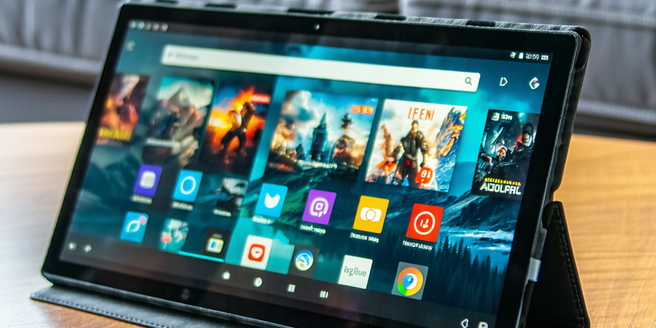
Discover the best affordable tablets of 2023 with top picks from Amazon, Lenovo, and Samsung. The Amazon Fire HD series is ideal for media consumption with its user-friendly interface. Lenovo’s Tab M10 Plus offers superior sound and robust design, while the Samsung Galaxy Tab A series impresses with its performance and battery life. Key features to consider when selecting a budget tablet include display quality, storage capacity, operating system, battery life, and build quality. Performance relies on speed and storage, with a focus on quad-core CPUs and at least 2GB RAM. Design and display should balance form and function, emphasizing portability and HD resolution. Expect 7 to 10 hours of battery life from budget options, with features like battery saver modes and fast charging enhancing user experience.

Smart Light Automation
Smart lighting systems have transformed how we manage home lighting by using technologies that offer remote control via smartphone apps and voice commands through virtual assistants like Alexa and Google Assistant. These systems provide benefits such as energy efficiency, with features like dimming, scheduling, and customization options to suit any mood or activity. Smart lighting also enhances security by allowing you to automate lights when you're away, providing the illusion of occupancy. Connectivity through Wi-Fi, Bluetooth, or smart home ecosystems like Zigbee and Z-Wave facilitates seamless integration with other smart devices, while adaptability allows adjustment of color temperatures and brightness levels. Setting up a smart light system involves selecting compatible devices, ensuring network compatibility, and using apps to manage and automate lighting. While smart lighting is convenient, common issues like connectivity and compatibility can occur, necessitating troubleshooting steps such as checking network connections and firmware updates. Overall, smart lighting systems enhance home functionality, aesthetic appeal, and energy savings, becoming a vital component of modern smart homes.
Ai’s Impact On Global Supply Chains
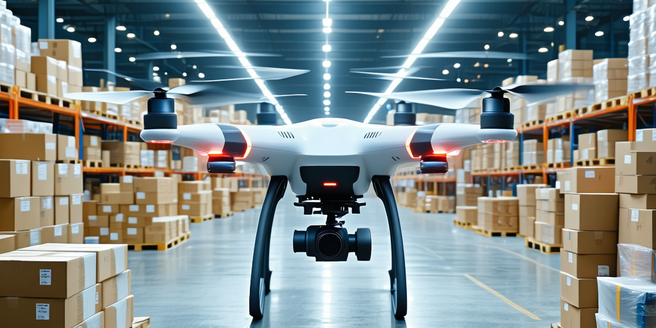
AI is revolutionizing modern supply chains by boosting efficiency, accuracy, and operational effectiveness. Through advanced analytics and machine learning, AI predicts demand fluctuations, optimizes inventory, and refines procurement processes. It automates routine tasks, allowing human focus on strategic decisions, and analyzes real-time data to anticipate and mitigate disruptions. In logistics, AI enhances route planning and delivery scheduling, reducing costs and boosting customer satisfaction. Technological advancements like IoT and blockchain further drive efficiency by improving asset utilization and ensuring transparent records. However, AI adoption challenges include data quality, cybersecurity risks, and workforce displacement concerns. As AI evolves, it promises improved demand forecasting and greater resilience, necessitating careful ethical and strategic integration.
Ai Integration In Smart Homes
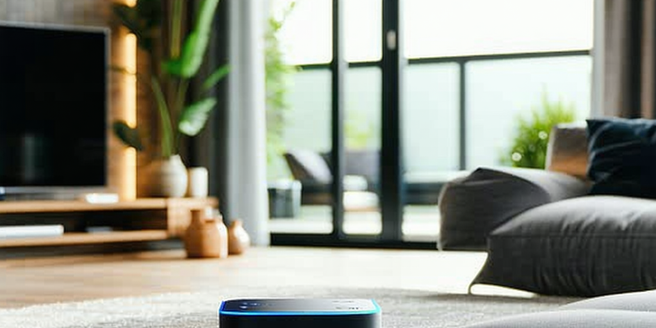
AI plays a crucial role in modern home ecosystems by enhancing smart device connectivity and functionality. It learns from user behaviors to optimize energy use, comfort, and convenience. AI-powered smart homes predict user needs, support interoperability among devices, and improve security, entertainment, and living conditions. Key benefits of AI in smart homes include energy optimization and enhanced security, as well as personalized user experiences and health monitoring through connected devices. However, challenges like device interoperability, data privacy concerns, and consumer skepticism need addressing through universal standards, privacy protocols, and educational initiatives. Popular AI technologies include voice-controlled assistants, smart thermostats, and advanced security systems that enhance daily life. While AI offers many benefits, security and privacy concerns persist, necessitating robust encryption and continuous algorithm refinement to build consumer trust.