Time Management Apps For Productivity
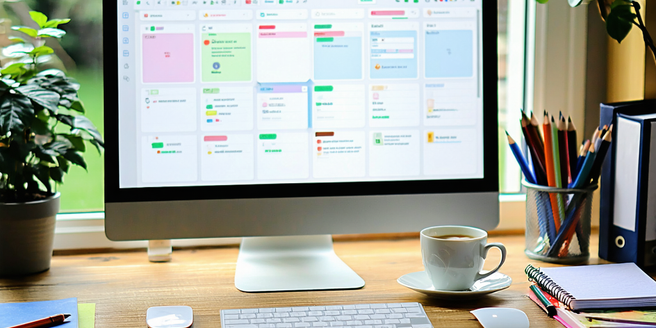
Overview of Top Time Management Apps
In today’s fast-paced world, time management apps have become an indispensable tool for many. Apps like Todoist, Trello, and Asana help individuals and teams organize tasks efficiently. These apps come packed with various features such as task lists, reminders, and calendar integrations, which streamline workload management. By providing users with a digital space to prioritize tasks and set deadlines, they contribute significantly to boosting productivity and minimizing procrastination. Most apps offer both desktop and mobile versions, ensuring accessibility and synchronization across all devices. They also foster collaboration by allowing users to share projects and updates. With a plethora of options available, users can select apps tailored to their specific needs, be it personal time management or complex team projects.
Key Features to Look for in Productivity Apps
When selecting a productivity app, certain key features can significantly enhance efficiency. First and foremost, look for an intuitive interface that simplifies task management. Customizable notifications and reminders ensure that you stay on track. Integration capabilities with other tools like calendars, email, and project management software are essential for seamless workflow management. Cloud synchronization is crucial, ensuring that your data is accessible from any device. Another important feature is collaboration capabilities, allowing you to share tasks and projects with others. Additionally, tools that offer analytics can help you track your productivity over time, giving you insights into your habits and potential areas for improvement. Finally, consider apps that offer offline functionality, ensuring continuous productivity regardless of internet connectivity.
Benefits of Using Time Management Apps
Time management apps offer numerous benefits that can enhance both personal and professional productivity. One significant advantage is the ability to prioritize tasks. These apps provide tools to categorize and rank assignments by importance, ensuring critical work is completed first. They also help in setting and tracking deadlines, reducing the likelihood of missed tasks. Additionally, by centralizing all to-dos and schedules, these apps reduce the cognitive load of remembering tasks, freeing cognitive resources for more strategic thinking. Many apps also include features that facilitate assessment of productivity patterns, enabling users to identify opportunities for improvement. Moreover, by offering collaboration tools, they improve team coordination and communication. Ultimately, time management apps cultivate discipline and consistency, resulting in higher efficiency and less stress over time.
Comparing Free vs. Paid Time Management Tools
When choosing between free and paid time management tools, it’s crucial to understand what each option offers. Free apps generally provide basic functionalities like task lists and reminders. They’re ideal for personal use or small projects. However, these tools may lack advanced features such as file attachments, collaboration capabilities, and detailed reporting. On the other hand, paid versions often offer richer features, including integration with other platforms, priority support, and enhanced security measures. They usually cater to businesses or individuals with complex needs. Assessing the value of premium features in terms of improved productivity versus their cost is essential. Additionally, some apps offer a freemium model, allowing users to test basic features before committing to a paid version, making it easier to determine the most suitable option.
How to Choose the Right App for Your Needs
Selecting the right time management app begins with identifying your specific needs. Evaluate what you want to achieve, whether it’s simple task tracking, collaborative project management, or in-depth scheduling. Consider the devices you use frequently, ensuring the app offers compatibility and synchronization across them. Also, explore whether you need integration with other software you currently utilize. A user-friendly interface can be crucial if you prefer an intuitive setup. Budget constraints will also influence the decision; weigh the benefits of free versus paid options. Reading user reviews and trying out trial versions can give insight into the app’s effectiveness. Ultimately, the right app will align closely with your personal or professional workflow, enhance organization, productivity, and bring you closer to achieving your goals.