
Ergonomic Furniture For Comfort
Ergonomics is the science of designing workspaces to enhance comfort and efficiency while reducing the risk of injuries. Key elements include ergonomic chairs with lumbar support, adjustable desks, and accessories like wrist rests and monitor stands. These tools promote natural postures and reduce physical strain. Proper ergonomic solutions lead to better posture, improved productivity, and long-term health benefits. Home offices, in particular, can benefit from ergonomic furniture and technology that adapts to users' needs, contributing to a comfortable and efficient work environment. Investing in ergonomics boosts workplace satisfaction and employee retention.

Hi-fi Systems: Superior Audio Experience
Hi-fi, or high-fidelity, systems are designed to deliver top-notch audio reproduction, replicating original recordings with minimal distortion. These systems typically consist of components such as audio sources (CD players, turntables), amplifiers, and speakers. Over time, hi-fi systems have evolved from bulky, analog models to sleek, digital ones, enhancing both sound quality and convenience. Modern hi-fi features include high-resolution audio, wireless connectivity, and modularity for customization. Choosing the right system involves considering audio sources, room acoustics, connectivity needs, and budget. Proper setup, including speaker positioning and room acoustics adjustment, is crucial for optimal sound. By understanding these elements, users can enjoy an immersive and high-quality listening experience.
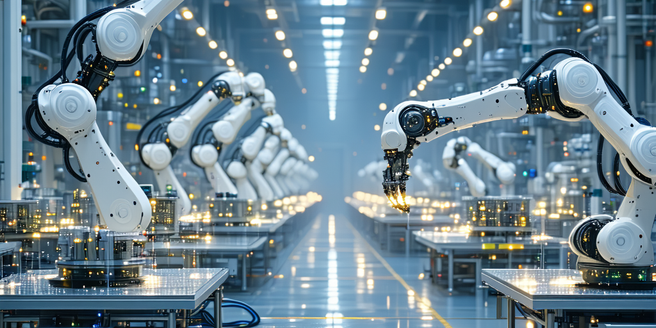
Digital Twin Technology
Digital Twin Technology, originating from NASA, creates virtual replicas of physical entities to simulate, predict, and optimize real-world counterparts. Central to this technology are sensors gathering data to update and refine digital models, offering insights for operational efficiency across industries. Key components include IoT sensors, advanced data analytics, and machine learning algorithms supported by robust cloud infrastructure. Applications span manufacturing, healthcare, urban planning, automotive, and energy sectors, enhancing productivity and innovation while reducing costs. Despite benefits like predictive maintenance and improved decision-making, challenges persist, such as high implementation costs and data security concerns. Future advancements in AI, machine learning, and IoT connectivity will further integrate and personalize digital twins, making them accessible to various enterprises and driving their adoption across sectors.

Interactive Learning Tools For Lifelong Learning
The digital age has vastly transformed education, with learning tools evolving from basic computer programs to advanced online platforms that cater to individual learning styles. Today's interactive tools engage users through multimedia content and personalized lessons, and adaptive learning systems tailor educational content to each user. This evolution blurs the line between traditional and digital learning and supports lifelong learning. Interactive learning benefits individuals of all ages by boosting engagement and retention, offering flexibility, and fostering a culture of continuous skill enhancement. Notable platforms like Coursera, edX, and Duolingo enhance skill-building across various disciplines, while technologies such as gamification revolutionize continuous education by making learning interactive and fun. Personalized learning is made possible through technology, which adapts content based on each learner's needs to ensure efficient learning outcomes.

Noise Cancellation In Video Call Software
Noise cancellation technology is essential for improving audio clarity by using destructive interference to minimize ambient noise. This is particularly beneficial in noisy environments, like offices or homes, enhancing communication and focus. In video calls, noise cancellation ensures conversations are free from distractions like barking dogs or traffic, improving professionalism and efficiency. Popular video call software options, including Zoom, Google Meet, and Microsoft Teams, offer advanced noise suppression features. These platforms use distinct algorithms to mute background noise while preserving voice quality, catering to user needs and enhancing communication. Noise cancellation not only improves the technical quality of audio but also offers psychological benefits by reducing stress. Users may encounter issues like the failure to activate settings or feedback during calls, often resolved by checking settings, sensitivity levels, or using support resources. Understanding and utilizing noise cancellation effectively enhances communication, whether at work or home.

Augmented Reality In Education
Augmented Reality (AR) is transforming education by integrating digital elements into the physical world. This technology creates immersive learning experiences, enhancing student engagement and understanding. AR enables visualization of complex subjects, supports diverse learning styles, and promotes collaboration. By bringing theoretical concepts to life, it improves retention and makes learning more experiential. Key benefits include interactive content, personalized education, and development of critical skills. However, challenges like cost, technical expertise, and accessibility must be addressed. Successful case studies demonstrate AR's potential in revolutionizing education, offering virtual field trips, simulated environments, and interactive learning in various subjects. As schools increasingly adopt AR, it promises to enrich educational experiences and outcomes.

Leading Platforms For Virtual Team Productivity
Virtual productivity solutions are vital in an era where remote work prevails, offering tools like cloud-based software, project management applications, and communication platforms to enhance dispersed team efficiency. These solutions enable seamless collaboration, document sharing, and project tracking, allowing businesses to scale without sacrificing productivity. As remote work evolves, these tools adapt to meet diverse industry needs. Key features of top virtual collaboration tools include real-time messaging, video conferencing, file sharing, task management, and integration with other business applications, ensuring security and compliance. Popular platforms, such as Microsoft Teams, Slack, and Zoom, offer unique advantages and integrations, catering to specific organizational needs. Integrating software for cohesive collaboration eliminates technological silos, streamlines processes, and facilitates innovation. Future trends emphasize the integration of AI, machine learning, virtual reality, and enhanced cybersecurity, positioning businesses to adapt to flexible work arrangements while optimizing workflow efficiency.

Cloud Storage Solutions
Cloud storage providers offer scalable solutions for data management and access, with major names like AWS, Microsoft Azure, Google Cloud Storage, and Dropbox leading the industry. AWS is known for its infrastructure, Azure for integration with Microsoft products, Google Cloud for AI and analytics, and Dropbox for its user-friendly tools. Benefits of cloud storage include scalability, remote access, and strong security measures, making it an appealing alternative to on-premises storage. Popular services vary by features and pricing, with AWS S3 suited for enterprises, Microsoft OneDrive for Microsoft users, Google Drive for its collaboration tools, and Dropbox for file sharing. Security features like encryption and multi-factor authentication are critical in choosing a provider. Cost-effectiveness depends on understanding usage patterns and pricing models, with Google Drive and OneDrive offering free tiers and AWS providing pay-as-you-go plans. Users should assess providers based on their specific needs to take advantage of future trends in cloud storage technology.

Automated Garage Systems Overview
Automated garage systems are revolutionizing parking solutions for both home and commercial settings by utilizing advanced technology for efficient vehicle storage and retrieval. These systems are especially beneficial in urban areas with limited parking, offering convenience and space optimization while reducing time spent searching for spots. Core components include mechanical lifts, sensors, and centralized control units, often operable via smartphone apps. Automated garages provide enhanced security, ease of use, and environmental benefits by minimizing carbon emissions. Leading brands such as Parkmatic, CityLift, Klaus Multiparking, Wohr, and Robotic Parking Systems offer innovative solutions. Future trends indicate a shift towards AI integration, EV infrastructure compatibility, and more sustainable practices. As urbanization increases, automated garage systems are expected to significantly impact the vehicle storage landscape.

Networking Techniques For Remote Professionals
Enhance your professional network by building a strong online presence through platforms like LinkedIn, where updating your profile regularly can highlight your skills and accomplishments. Creating a personal website or blog to share insights in your field can further demonstrate your expertise. Engage with industry content and virtual networking events to expand your reach globally. Leverage social media by identifying platforms frequented by your target audience, sharing valuable content, and participating in discussions to create meaningful connections. Master video conferencing techniques to facilitate effective face-to-face interactions remotely. Utilize professional networking websites, optimizing profiles with industry-specific keywords to attract connections, and actively participate in discussions to establish a robust network. Focus on maintaining and nurturing these connections for networking success.

Vertu Luxury Watch Insights
Vertu luxury watches epitomize the fusion of traditional craftsmanship and modern design, showcasing a commitment to high standards of precision and luxury. Initially rooted in classic watchmaking, Vertu has evolved by incorporating cutting-edge technological advancements while preserving its heritage. Each timepiece is a masterpiece of artistry and innovation, crafted with meticulous attention to detail. The brand's use of luxurious materials such as platinum, gold, and high-tech ceramics underscores its dedication to quality and durability. Vertu's design language, characterized by clean lines and understated elegance, appeals to a diverse clientele valuing timeless sophistication. Technological innovations, such as self-winding movements and advanced chronograph features, enhance functionality, making Vertu watches reliable and stylish companions. The brand remains responsive to market trends and consumer preferences, offering personalized, limited-edition pieces that cater to a tech-savvy, younger demographic. Vertu combines tradition with modern demands, continuing to set benchmarks in the luxury watch industry.

Revolutionary Tech In Smart Urban Living
Smart cities are reshaping urban environments through digital technology, enhancing systems like traffic management and waste collection with sensors and data analytics. The Internet of Things (IoT) is central to this transformation, providing real-time data to optimize resource management and improve emergency response. Sustainable energy solutions are integrated into urban grids, utilizing renewables and smart technologies to lower emissions and improve public health. Autonomous transportation promises reduced congestion and pollution while enhancing safety. Smart homes offer energy-efficient solutions and convenience, connecting with broader urban networks. AI is pivotal in urban planning, using data to optimize space and resources, offering predictive analytics for future developments. This convergence of technologies is setting a foundation for efficient, sustainable, and smarter urban living.