
Audio Editing Tools For Podcasts
Enhance your podcasting endeavors by mastering basic audio editing techniques and exploring both free and premium software options. Grasp core concepts like waveforms, bitrate, and frequency to create captivating audio content. Utilize popular free tools such as Audacity and GarageBand, and for advanced features, consider investing in Adobe Audition or Avid Pro Tools. Develop an efficient editing workflow using tips like organizing files and employing keyboard shortcuts. Test audio across major platforms like Spotify and Apple Podcasts to ensure consistent quality. Choose the right editing tools based on your experience level, budget, and long-term goals to produce professional-grade podcasts.

Reducing Screen Time With Application Restrictions
Understanding the impact of screen time on health is crucial, as prolonged exposure can lead to sleep disturbances, obesity, and mental health issues like anxiety and depression. Limiting screen time can provide physical and mental benefits by promoting active lifestyles, reducing stress, and improving mood and productivity. Choosing the right applications to limit involves identifying time-consuming, non-beneficial apps, such as social media and streaming services, while maintaining access to educational and essential tools. Setting up device restrictions with built-in features or third-party apps helps manage screen time effectively. Monitoring progress ensures goals are met and adjustments are made for long-term digital health, fostering a balanced lifestyle between digital and physical activities.
Using Blue Light Filters For Screens
Blue light, a component of the visible light spectrum, is present naturally in sunlight and artificially emitted by digital screens such as computers, tablets, and smartphones. While essential for regulating circadian rhythms and maintaining alertness, excessive exposure, particularly at night, can disrupt sleep and cause digital eye strain, manifesting as headaches, dry eyes, and blurred vision. Screen time increase has heightened concerns about its effects on health and well-being, emphasizing the need for blue light exposure management. Digital screens emit blue light to enhance visual clarity and energy efficiency, which underscores the importance of understanding this emission to mitigate its health impacts. Blue light filters, available as screen protectors, software, or device settings, reduce eye strain and improve sleep by limiting blue light exposure without compromising display clarity. Several filter types, such as eyewear or built-in device modes, offer users effective ways to manage blue light intake according to their personal needs and habits. Implementing these filters is often straightforward on modern devices equipped with blue light reduction features. However, considerations such as altered color perception and clarity should be weighed when using these filters, especially for tasks demanding precise color accuracy.

Health Monitoring Features In Smartwatches
Smartwatches have transformed personal health management with advanced monitoring features like heart rate, sleep, and stress tracking. Equipped with sensors, these devices provide real-time health insights and sync with apps for a comprehensive health profile, enhancing informed healthcare decisions. Heart rate tracking utilizes PPG sensors for cardiovascular insights, helping optimize workouts and detect irregularities. Sleep tracking uses accelerometers and heart rate sensors to analyze patterns, aiding in improved sleep hygiene. Activity tracking goes beyond steps to include advanced metrics on various exercises, motivating users to achieve fitness goals. ECG monitoring allows users to record and share heart health data for early intervention. As technology advances, smartwatches continue to be essential tools in modern health management.

Online Collaboration Spaces
Online collaboration tools revolutionize team interactions by streamlining communication and boosting productivity. These platforms integrate video conferencing, document editing, and task management, breaking geographical barriers for effective teamwork. Essential features to consider in virtual workspaces include real-time communication, document management, security, scalability, and a user-friendly interface. Online collaboration enhances productivity with instant messaging, project management, and remote access capabilities, supporting flexible work environments. However, challenges like miscommunication and technical difficulties exist; solutions include clear guidelines and asynchronous work strategies. Future trends in collaboration platforms include AI automation, VR integration, and enhanced cybersecurity, focusing on personalized and secure user experiences.

Monitors: The Rise Of 8k Displays
8K resolution is a breakthrough in display technology, offering a 7680 x 4320 pixel configuration that delivers unprecedented clarity and lifelike images. It enhances the viewing experience with high dynamic range (HDR), deeper colors, and greater contrast, making it ideal for larger screens and immersive experiences. 8K displays quadruple the pixels of 4K, offering unmatched detail suitable for both home entertainment and professional applications like film editing, medical imaging, and digital signage. Driven by powerful GPUs and advanced panels, 8K technology supports vibrant color gamuts and smooth content rendering, aided by connectivity standards like HDMI 2.1. As more 8K content becomes available, the technology's adoption is increasing, benefiting industries demanding the highest visual standards. Future advancements in 8K promise further innovations, expanding its applications and setting new benchmarks in display technology.

Digital Minimalism In Workspaces
Digital minimalism in work environments focuses on minimizing digital distractions and optimizing tools for better productivity. This approach involves critically evaluating digital tools to select only those that directly meet work objectives, leading to improved concentration, time management, and mental clarity. A simplified digital workspace reduces cognitive overload by minimizing unnecessary notifications and applications, leading to increased efficiency and effective communication within teams. Implementing digital minimalism requires auditing current tools, eliminating non-essential applications, and setting boundaries to minimize distractions. Techniques such as using consolidated apps, the Pomodoro Technique, and automation tools can help maintain a clutter-free digital environment. Regular reassessment of digital practices, decluttering obsolete files, and fostering a minimalist culture are essential for sustaining productivity and innovation in workspaces.

Adoption Of Edge Computing
Edge computing is a transformative technology that brings data processing closer to sources like IoT devices, reducing latency and enhancing real-time data analysis for applications in autonomous vehicles and smart cities. It optimizes bandwidth and improves network performance by decentralizing computing tasks, while also enhancing privacy through local data processing. This computing model is driven by the need for real-time data insights, the proliferation of IoT devices, and efficient bandwidth use. It supports advancements in AI, enabling low-latency processing necessary for applications such as augmented reality. Edge computing is pivotal in data management, with benefits spanning automotive, healthcare, retail, manufacturing, and energy industries. However, it presents challenges like data management across distributed networks, security, and integration complexities. Understanding edge computing is crucial for businesses to maintain competitiveness in a data-centric world.

Effective Screen Sharing Apps
Screen sharing technology has transformed remote communication and collaboration by allowing users to share their computer screens in real-time, facilitating presentations, tutorials, and problem-solving. High-quality streaming, ease of use, strong security features, and cross-platform compatibility are key features of top screen sharing apps. When choosing a screen sharing app, consider compatibility, security, user experience, and features like high-definition streaming and interactive tools. Optimize your experience by ensuring a stable internet connection, using collaboration tools, and keeping your screen organized. The future of screen sharing includes virtual and augmented reality integration, AI-driven features, and enhanced collaboration technologies. As technology advances, screen sharing will continue to be crucial for productive remote work.

Quantum Computing’s Future Applications
Quantum computing is revolutionizing technology by utilizing qubits, which leverage quantum mechanics principles like superposition and entanglement, offering unprecedented computational power. This advancement promises breakthroughs in fields such as cryptography, optimization, and data analysis. While current quantum systems demonstrate significant potential, challenges such as qubit instability and error rates impede their practical application. Quantum technology is actively progressing, with breakthroughs in quantum cryptography and healthcare, enabling secure data and advanced medical solutions. Addressing challenges like fault tolerance and developing scalable systems are essential for fully realizing quantum computing’s transformative potential.
Ai Assistants For Scheduling
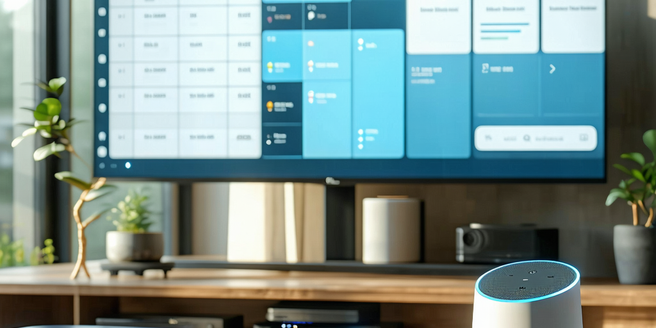
AI in scheduling assistants is transforming how we manage daily tasks by automating and optimizing calendar management. Leveraging machine learning, these tools can seamlessly set appointments, send reminders, and adjust schedules in real-time, freeing users to focus on higher-priority tasks. Natural language processing allows users to interact intuitively, while predictive analytics offers informed scheduling suggestions. Key benefits include reduced manual errors, improved productivity, and personalized experiences that evolve with user interactions. Popular tools like x.ai, Clara, and Google Assistant integrate with existing platforms like Google Calendar and Microsoft Outlook, enhancing workflow without disruption. As AI technology advances, scheduling assistants are expected to become even more adept at predicting and accommodating user needs, further streamlining calendar management tasks.

Ai-powered Learning Systems
Artificial Intelligence (AI) is transforming education by providing personalized learning experiences and enhancing teaching methods. By analyzing student data, AI enables educators to tailor their approaches to individual needs, improving learning outcomes. AI-driven tools offer immediate feedback, streamline administrative tasks, and give educators more time to focus on teaching. Despite ethical concerns like data privacy and bias, AI has the potential to make education more accessible and effective. AI-powered learning systems adapt curricula to individual student progress and deliver real-time feedback, fostering a growth mindset. They can also aid teachers by offering insights into student performance and identifying support areas. However, challenges like the digital divide and privacy issues must be addressed. AI tools are reshaping classrooms by enhancing collaboration and offering immersive learning experiences through intelligent tutoring systems and virtual reality. The future of AI in education promises further advancements, with ongoing collaboration between educators, technologists, and policymakers being essential to ensure ethical and effective use.