
Sound Quality Improvements
Audio fidelity is crucial for accurate sound reproduction, capturing every nuance as recorded. Key concepts include frequency response, total harmonic distortion, and signal-to-noise ratio. High-quality devices, like those from Bose and Sennheiser, enhance sound through features such as noise cancellation and advanced driver technology. Noise cancellation technologies, such as Active and Passive Noise Isolation, improve audio in noisy environments. Room acoustics also impact sound quality, with elements like room dimensions and material affecting acoustics. Choosing quality audio equipment involves understanding preferences and technical specifications, ensuring compatibility, and considering expert reviews.

Smarter Navigation Apps
The evolution of navigation technology has dramatically transformed from ancient maps to today's advanced GPS systems like Google Maps and Waze, offering real-time traffic updates. Modern navigation apps boast features such as real-time traffic info, turn-by-turn guidance, offline maps, and route optimization. AI enhances route planning by analyzing data for efficient paths, optimizing fuel usage, and personalizing user experiences. Popular apps like Google Maps, Waze, Apple Maps, and HERE WeGo offer unique features for varied user needs. User data plays a crucial role in accuracy, though it raises privacy concerns. Future trends include Augmented Reality navigation, voice-activated systems, and autonomous driving technology, promising more immersive and efficient navigation experiences.

Innovative Features In Latest Wireless Earbuds
Recent advancements in wireless earbud technology have revolutionized the audio experience through features such as cutting-edge noise cancellation, which utilizes sophisticated algorithms and microphones to counteract ambient noise with inverse sound waves for enhanced clarity and focus. Adaptive sound personalization leverages AI-driven algorithms to automatically adjust audio settings based on surroundings, offering a unique listening experience that promotes healthier audio habits. Innovations in battery life and charging have extended playtime significantly, incorporating high-efficiency batteries and quick-charge capabilities for users on the go. Seamless connectivity features, such as enhanced Bluetooth protocols and multipoint connectivity, provide stable and uninterrupted audio transitions across multiple devices. Integrated voice assistant support in earbuds enhances user convenience with hands-free operations, while ergonomic designs ensure a comfortable fit for extended wear. Each of these advancements collectively elevates the performance and appeal of modern wireless earbuds, meeting the diverse needs and fast-paced demands of contemporary users.

Customizable Team Platforms
Team platforms are vital digital tools that enhance communication and collaboration, integrating features like messaging, file sharing, task management, and video conferencing. By centralizing teamwork, they improve productivity and reduce email or meeting needs. Customizable platforms offer adaptable interfaces, third-party app integration, and role-based access control, accommodating diverse work processes and enhancing user experience. The adaptability of these solutions to fit specific workflows increases efficiency and is attractive to users, promoting higher adoption. Choosing the right platform involves evaluating team needs, scalability, and integration capabilities. Successful case studies highlight the value of tailored solutions in innovation and project efficiency. Future trends indicate the growing role of AI, 5G, and augmented reality, further integrating customizable platforms into workplace success.

Vacation Proof Noise-canceling Headphones
Noise-canceling technology utilizes microphones to detect unwanted sounds, creating inverse sound waves through destructive interference to cancel noise. There are two main types: active noise cancelation uses electronic processing to counteract low-frequency sounds like airplane engines, while passive cancelation employs physical barriers such as ear pads. Key travel headphone features include comfort with plush cushioning, long battery life for extended play, foldable design for portability, and robust connectivity. Benefits of noise-canceling headphones on vacation include enhanced audio experiences, reduced stress, and protection against higher volume requirements. Popular models like Bose QuietComfort and Sony's WH-1000XM series are renowned for comfort and noise cancellation, while budget options like Anker’s Soundcore Life offer good performance at lower prices. Maintaining headphones properly involves using protective cases, cleaning components, and ensuring ample battery life. Travelers face choices between budget and premium options, with Taotronics as an example of budget-friendly styles.

Cloud Solutions For Remote Teams
Cloud solutions are essential for remote work, providing flexibility and accessibility to global teams. They support real-time collaboration and secure data access, ensuring productivity and adaptation to modern business demands. Key features of effective cloud platforms include reliability, security, scalability, user-friendliness, and integration capabilities with existing systems. Security is a top priority, necessitating robust protocols, compliance with industry standards, and employee training. Cloud tools enhance collaboration through real-time communication and data sharing, and their user-friendly interfaces improve productivity. Integration of cloud services with existing systems maximizes resource usage and workflow efficiency. Future trends in cloud technology, such as AI, machine learning, enhanced mobility, and 5G networks, promise further advancements in remote work capabilities.

Augmented Reality In Retail
Augmented Reality (AR) technology seamlessly integrates digital content with the physical world, offering engaging and immersive experiences. Widely used in retail, AR enhances customer engagement by providing interactive, personalized shopping experiences, bridging the gap between online and in-store shopping. It allows virtual try-ons and interactive displays, utilizing devices like smartphones and AR glasses. AR transforms the shopping experience by enabling customers to visualize products within their environment, boosting confidence in purchasing decisions. Retailers benefit from increased foot traffic, improved sales conversion rates, and reduced product returns. Despite challenges such as costs, infrastructure, and privacy concerns, AR is a transformative tool for retailers. The future of AR in retail includes trends like AI integration, wearable AR devices, and 5G networks, further enhancing the shopping experience and solidifying AR's role as a crucial component of modern retail strategies.

3d Printing: Home Fabrication
3D printing, or additive manufacturing, revolutionizes object creation by layering materials to build digital models. Emerging in the 1980s, it has exponentially grown, benefiting industries like healthcare and automotive with diverse applications such as prototyping and consumer goods customization. Technological advances and reduced costs have made 3D printing accessible to individuals and businesses, fostering innovation. At home, 3D printing allows personalized creations, cuts costs, and accelerates projects, revolutionizing markets from fashion to technology. Essential tools include the right 3D printer, design software, and materials like PLA. Setting up a 3D printer involves careful calibration and testing, while design software like Tinkercad and Fusion 360 aids in crafting and optimizing models for printing. 3D printing democratizes manufacturing, encouraging creativity and new possibilities.

Cross-platform Functionality Of Meeting Software
Cross-platform compatibility in meeting software is essential for seamless access across devices and operating systems, fostering an inclusive and collaborative environment. Key benefits include enhanced flexibility, accessibility, and reduced operational costs, promoting productive global connectivity. However, challenges in implementation involve ensuring consistent functionality and secure data transmission across platforms. Popular software like Zoom, Microsoft Teams, and Google Meet are known for robust cross-platform capabilities, focusing on user-friendly and secure experiences. Future trends involve leveraging AI, VR, and AR to further enhance user experience and adaptability. These innovations will continue to transform how teams communicate and collaborate effectively.

Ergonomic Office Gadgets: Enhancing Workstations
Discover how ergonomics can enhance your workspace by improving comfort, efficiency, and safety. Proper ergonomic setups, such as adjustable standing desks, ergonomic chairs, and monitor stands, can significantly reduce musculoskeletal disorders and improve productivity. Explore top ergonomic gadgets like keyboard supports and footrests that minimize strain and boost efficiency. Even small workspaces can benefit from space-saving ergonomic solutions like wall-mounted desks and compact peripherals. Cost-effective options, from DIY adjustments to budget-friendly sit-stand converters, make ergonomic enhancements accessible to any budget. Continuously maintain ergonomic practices through regular workspace assessments and employee education to ensure long-term health and productivity gains.

Cross-platform Mobile Development Trends
Cross-platform mobile development allows developers to create applications that work on multiple platforms using a single codebase, significantly reducing both time and costs compared to developing native apps for each platform. Popular frameworks like React Native, Flutter, and Xamarin enable near-native performance and user experience while simplifying updates and maintenance. This approach is beneficial for startups and businesses looking to maximize their reach and streamline the development process. Cross-platform apps offer advantages such as reduced costs, consistent user experiences, and broader market access, which appeal to both developers and businesses. However, challenges like performance issues and platform-specific features require careful consideration and agile problem-solving. As the industry evolves, trends such as Progressive Web Apps, AI integration, and enhanced performance parity with native apps are shaping the future of cross-platform development.
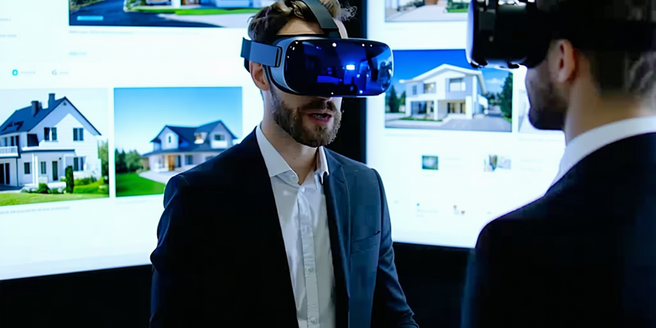
Virtual Reality Experiences
Virtual reality (VR) technology has evolved significantly since the 1960s, with major advancements in head-mounted displays, motion tracking, and affordable headsets in the 2010s. Today, VR is revolutionizing industries such as healthcare, real estate, education, automotive, and training with immersive simulations that improve efficiency and experiences. Popular VR platforms include Oculus Quest, HTC Vive, and PlayStation VR, each offering unique features to cater to different audiences. In gaming, VR has transformed how players interact with game worlds, offering unparalleled immersion and redefining multiplayer experiences. The technology also reshapes education and training by providing safe, controlled virtual environments for skill acquisition and remote learning. As VR tech progresses, its impact across sectors continues to grow, pushing the boundaries of what's possible.